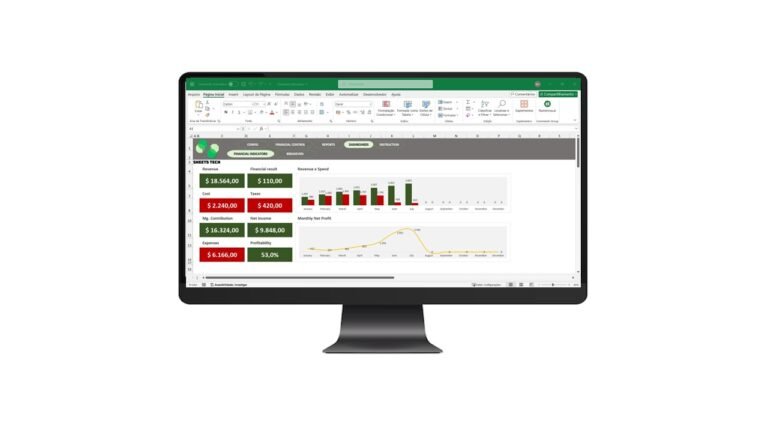
Business Budget Excel Spreadsheet | Budget Planning Spreadsheet
Plan, follow and control your finances in a professional way!
We know that good financial management is essential for the sustainable growth of any company. With the Business Budget Spreadsheet you can organize your financial planning, distribute costs correctly and compare results month by month to make sure your goals are met.
What the Spreadsheet Includes
Complete Financial Planning
With an intuitive and fully automated structure, you can:
- Create a complete financial plan for revenue, expenses and investments.
- Distribute costs correctly by salesperson, sales channel, cost center or any other category you need.
- Follow performance every month, identifying deviations between the planned and the actual amounts.
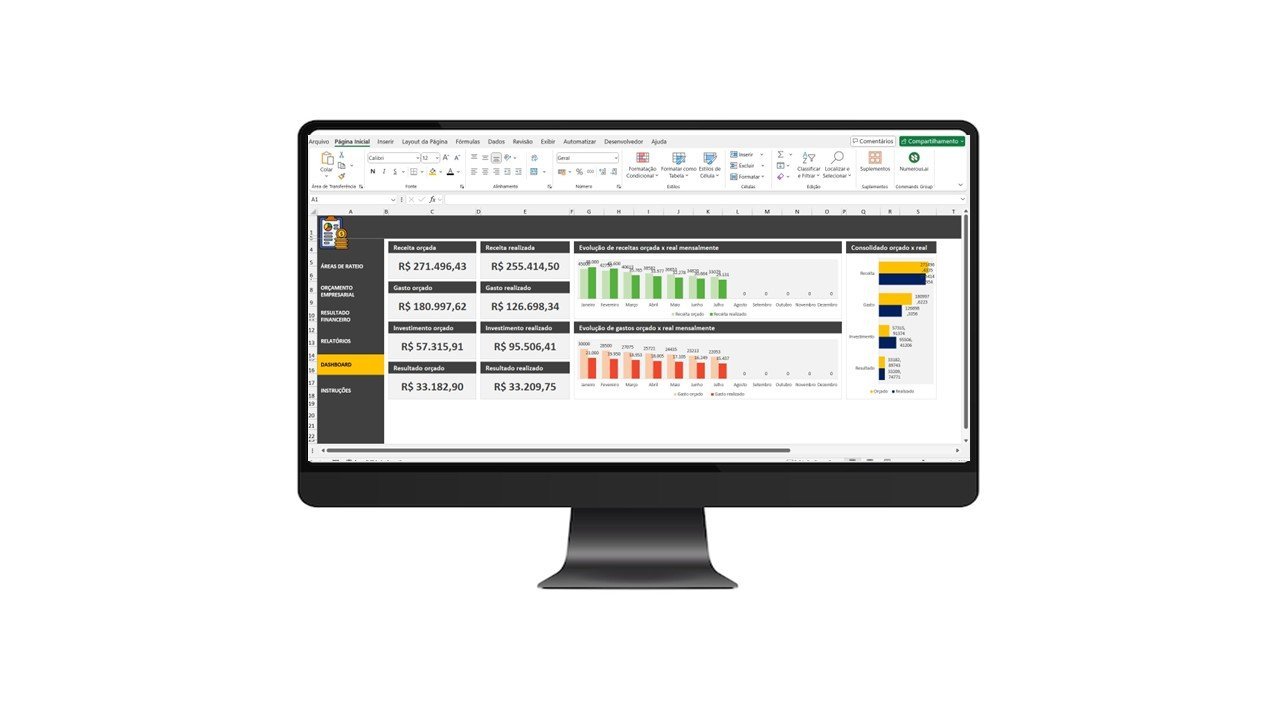
- Generate visual reports and dashboards, making analysis and decision making easier.
Budget Allocation: Distribute Your Costs the Best Way
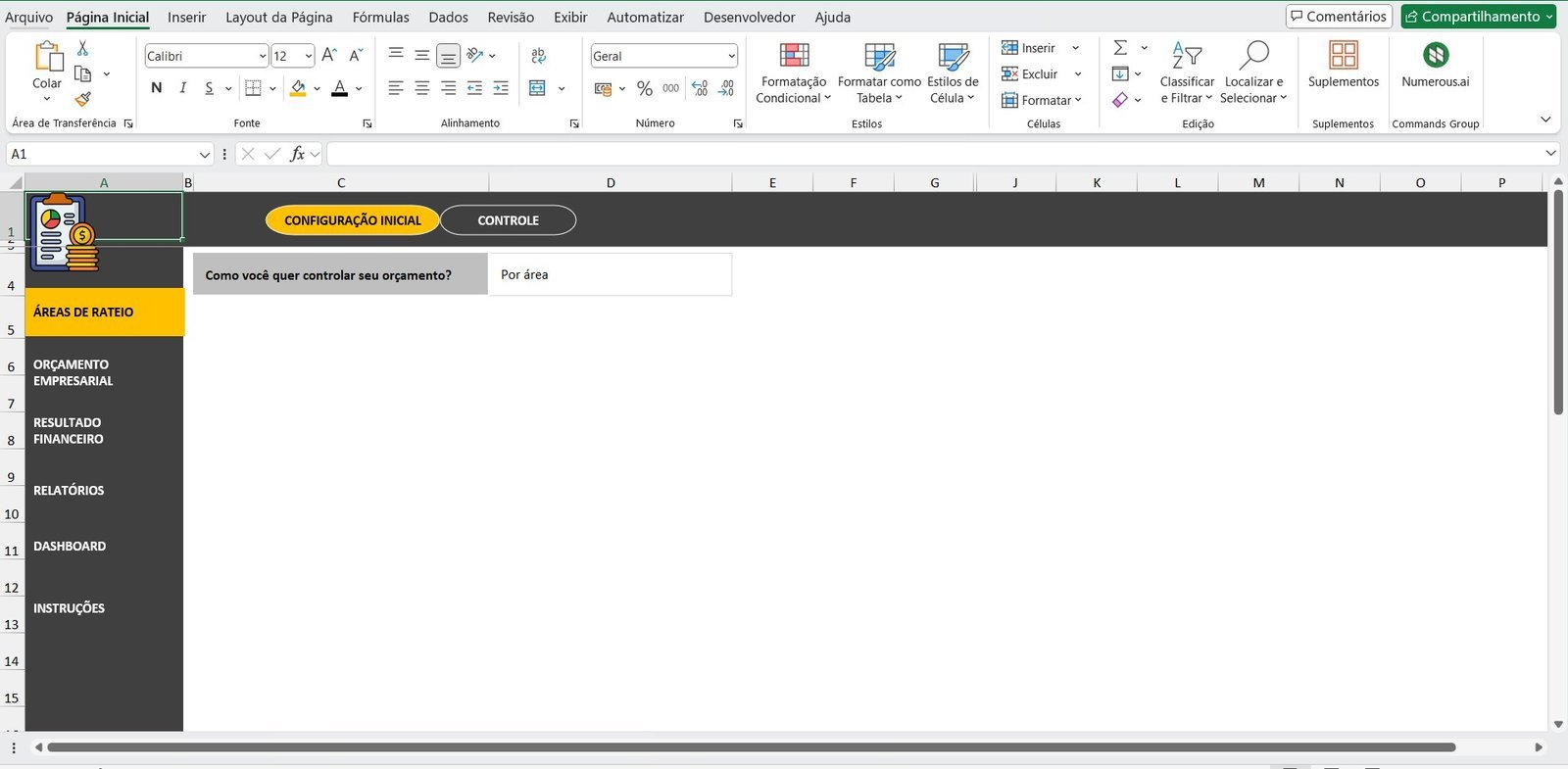
Company costs cannot always be treated as a whole. It is essential to separate them according to their origin and impact on the business. With this spreadsheet you can define different ways of allocating:
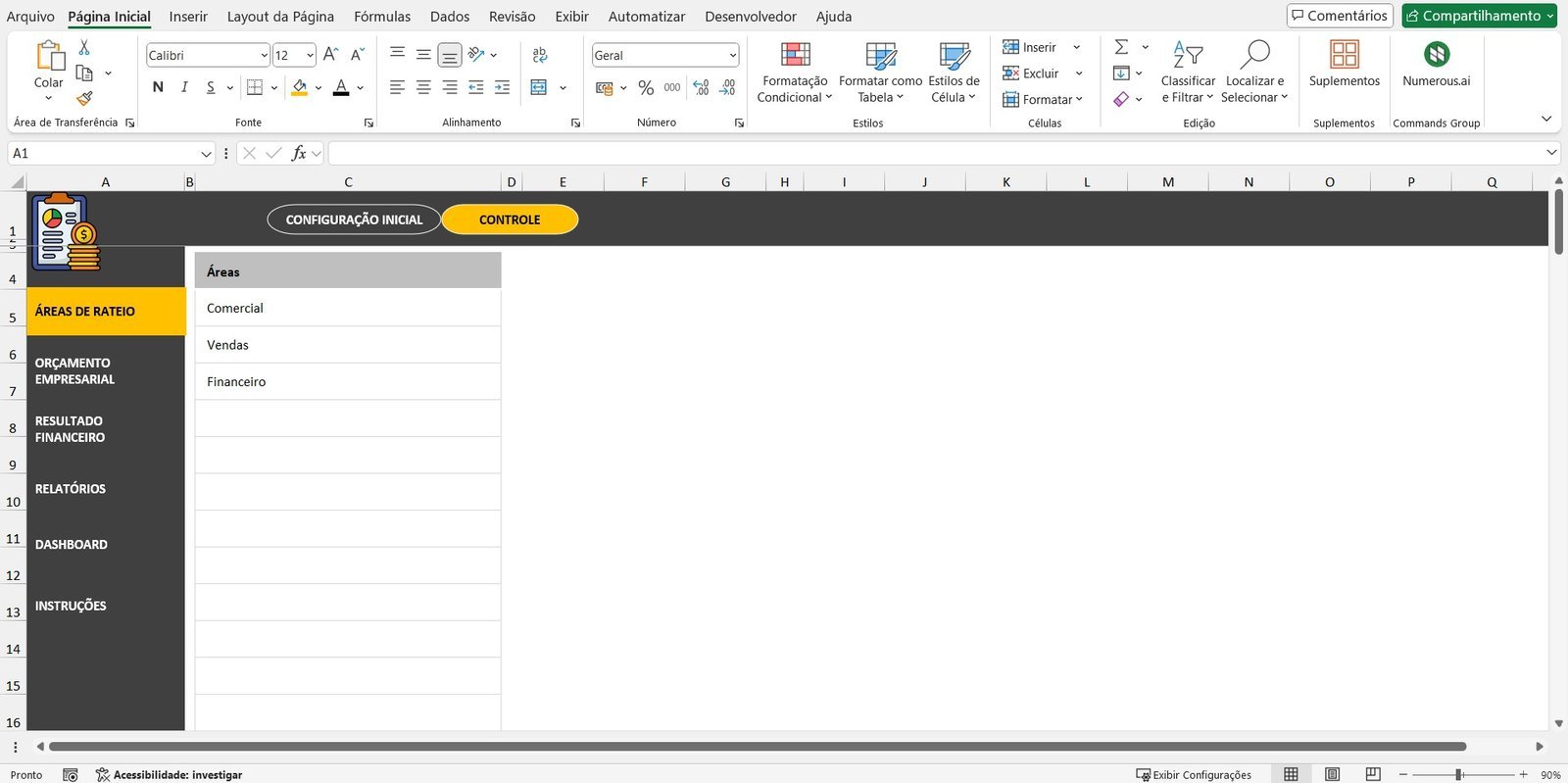
- By salesperson: analyze individual performance and calculate the costs tied to each professional.
- By sales channel: compare the costs and profits of each channel (e-commerce, physical store, representatives, etc.).
- By company area: evaluate which departments generate the most costs and which are the most profitable.
- By cost center: organize administrative, operational and strategic expenses in detail.
- By product or service: identify which products or services are the most profitable and where costs can be reduced.
After defining the type of allocation, just register the related items and start your budget!
Business Budget: Plan Revenue, Expenses and Investments
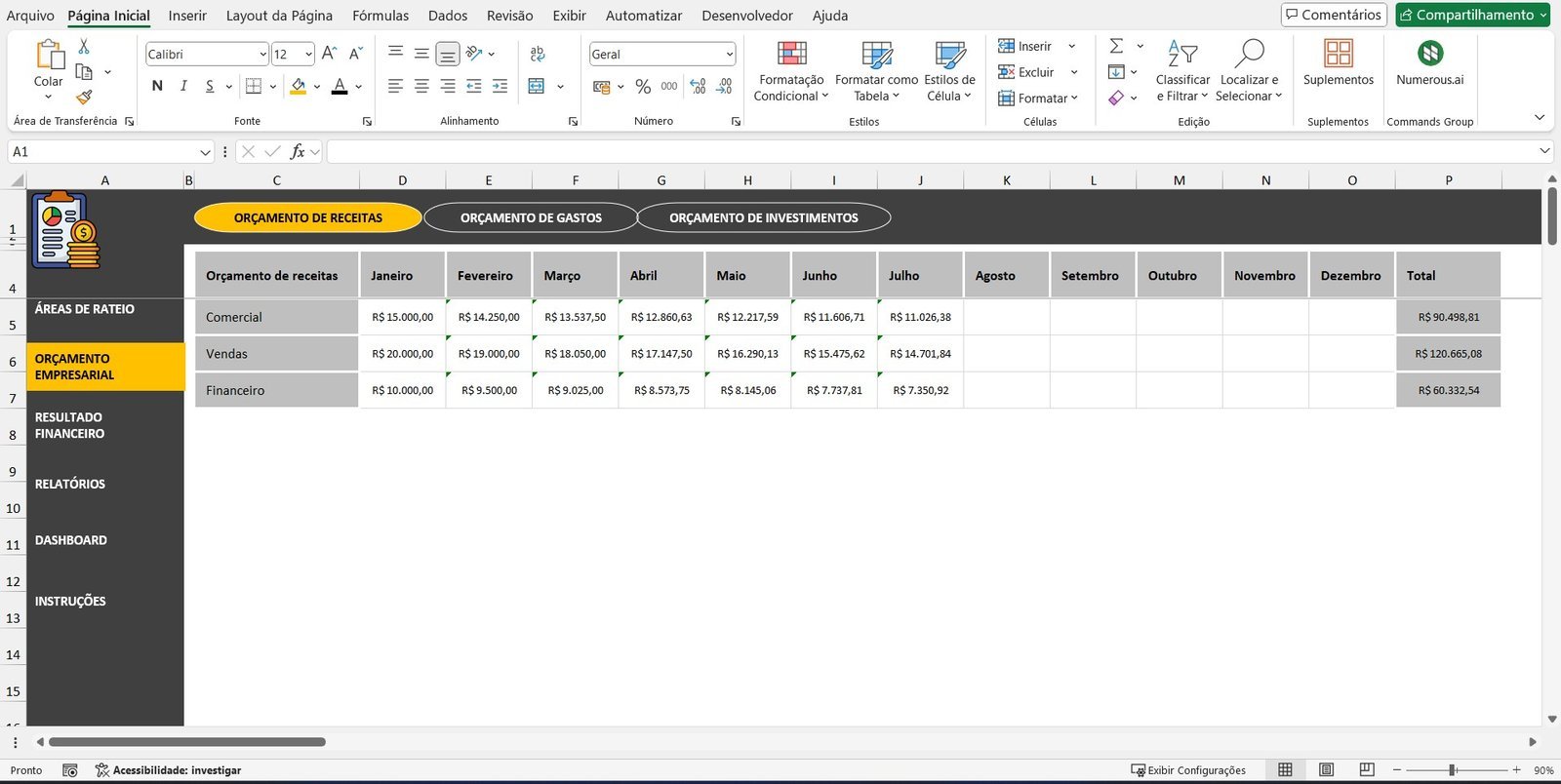
Financial organization is the basis of efficient management. With this spreadsheet you can register and follow each element of your budget:
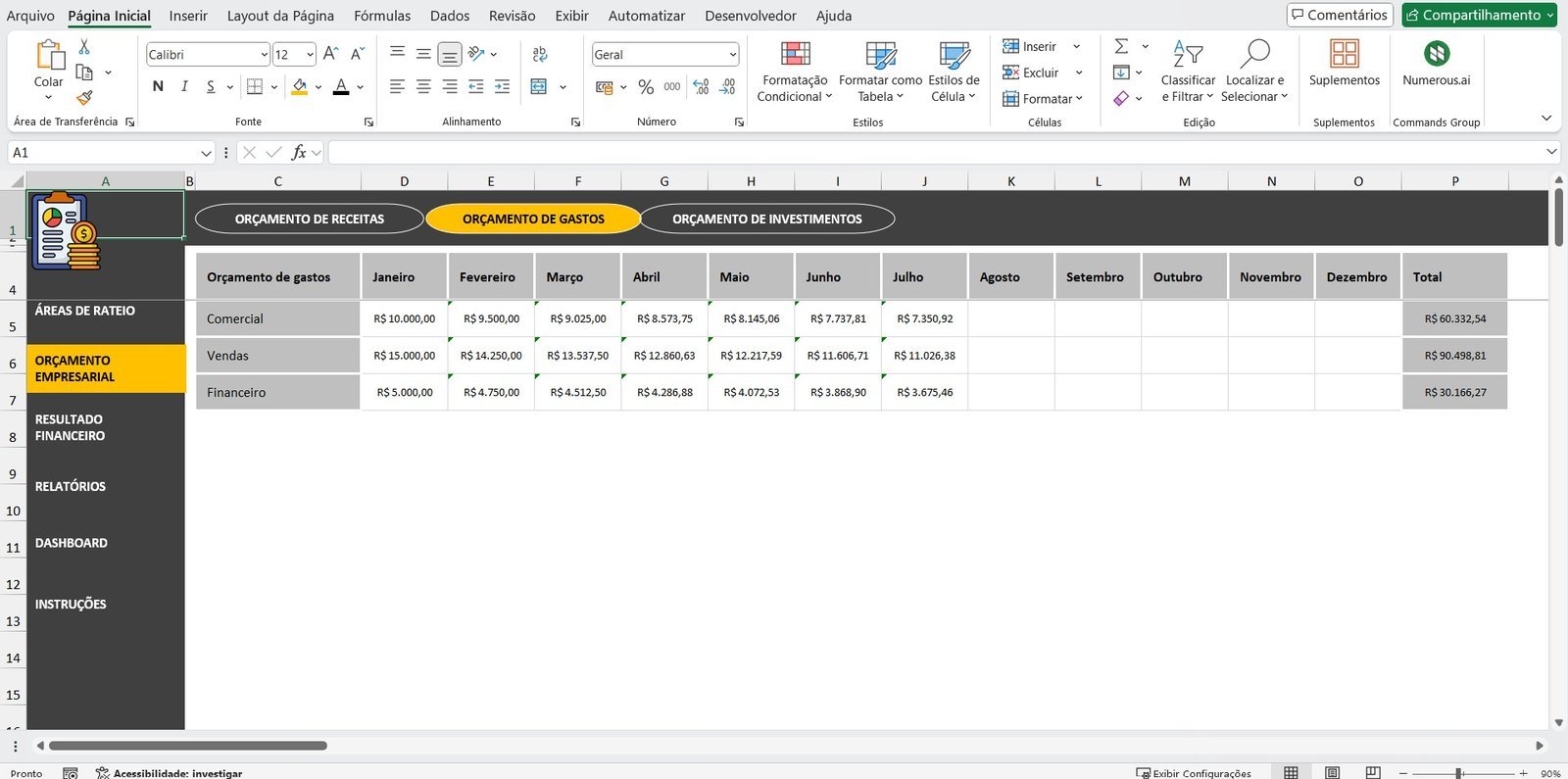
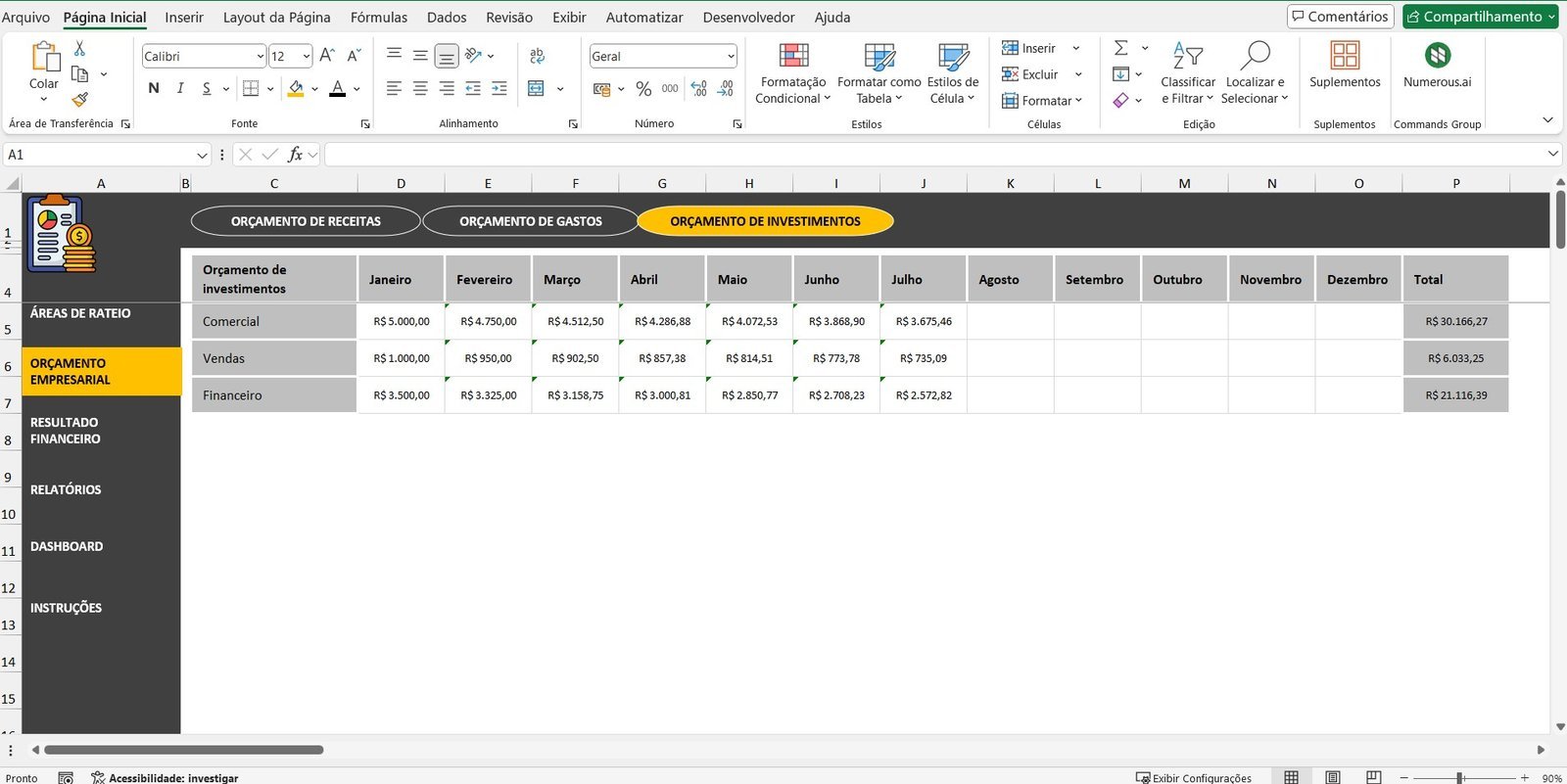
- Revenue: record all the revenue forecasts of the company.
- Expenses: enter fixed and variable costs, such as payroll, rent, suppliers and taxes.
- Investments: control the financial contributions made for the growth and innovation of the business.
With a simple structure, you can register this data and follow month by month how your company is performing financially.
Follow Your Financial Results
Keeping financial control requires constant follow-up. The spreadsheet lets you quickly see the performance of your budget:
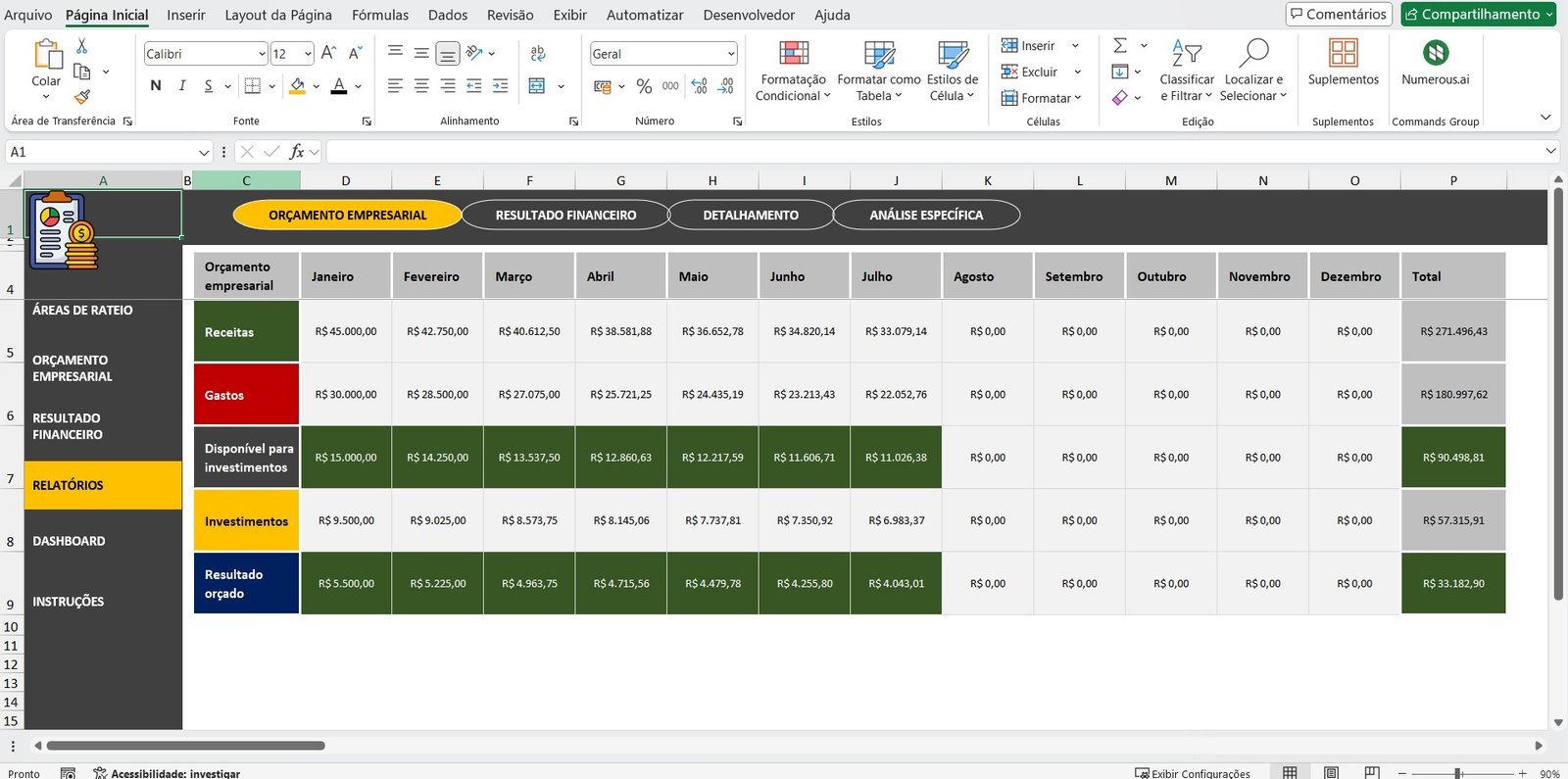
- See month by month the result of revenue, expenses and investments.
- Identify trends and patterns to optimize financial management.
- Find out where costs are highest and where there are opportunities to save.
Detailed Reports for Strategic Management
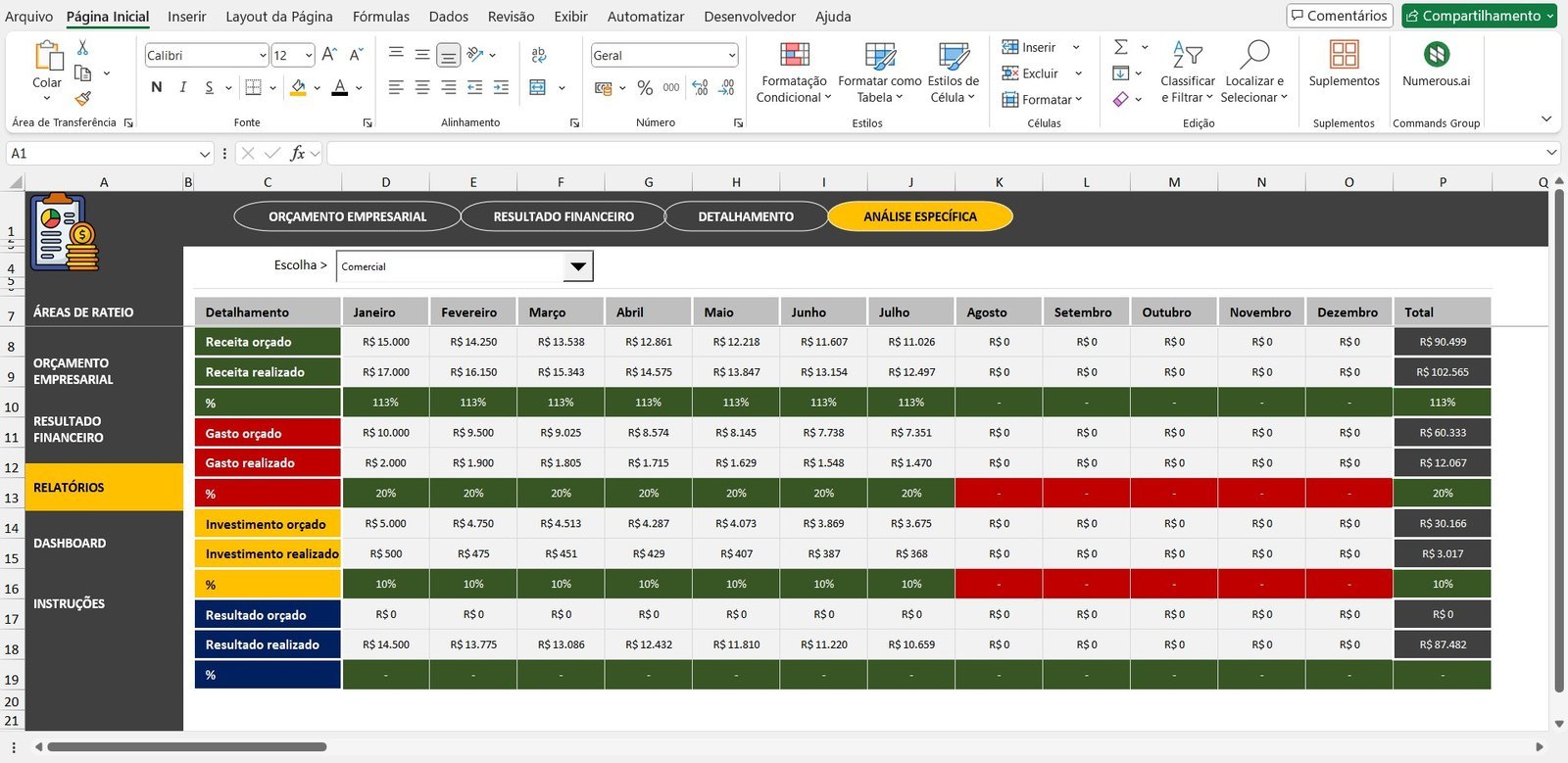
With automated reports you can access complete analyses of your company, including:
- Consolidated Budget: an overall summary of what was planned for each financial category.
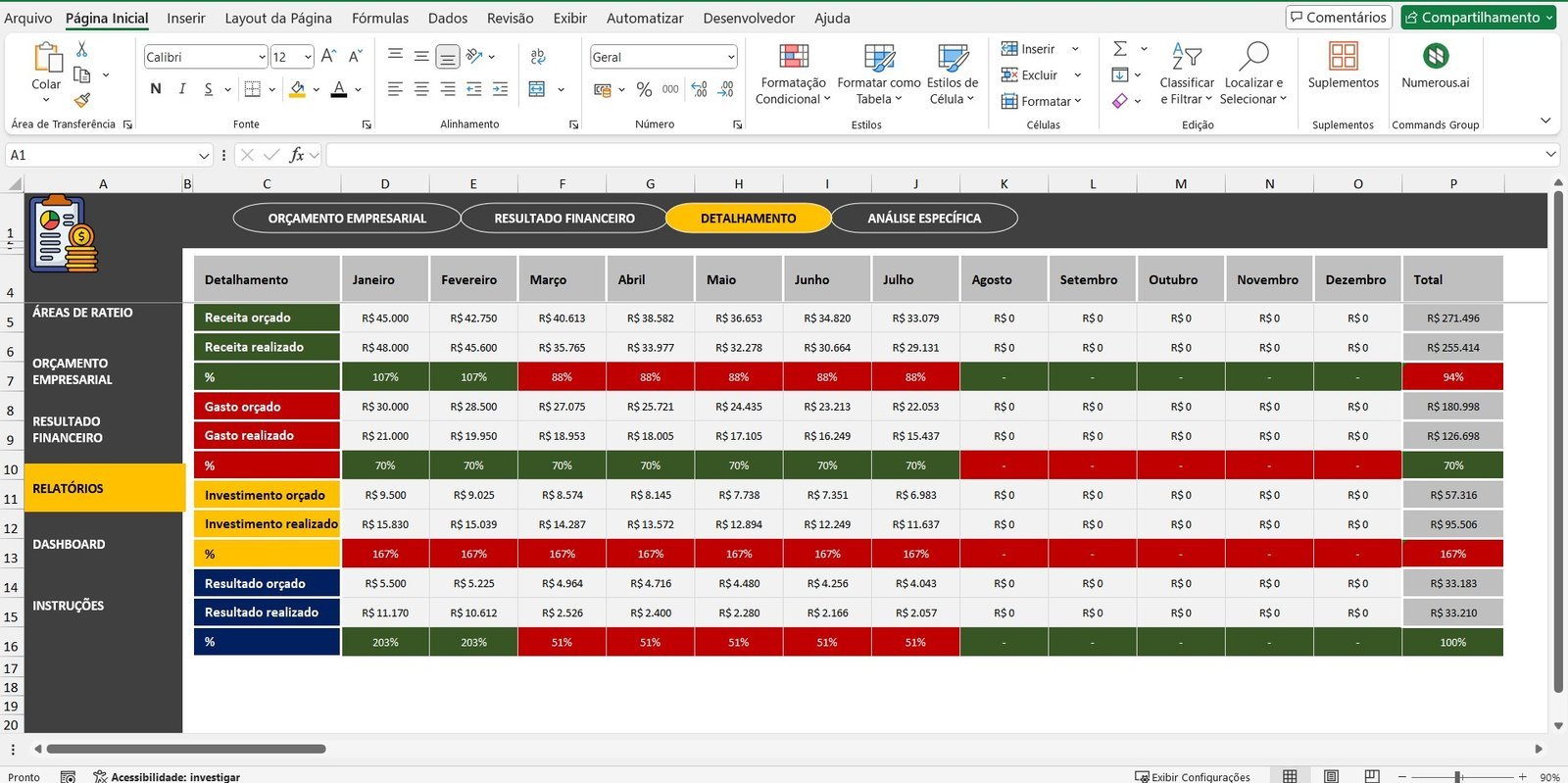
- Budget vs Actual Comparison: see the percentage differences between the forecast amounts and the amounts actually recorded.
- Individual Analysis: choose a specific item (such as a salesperson, a company area or a product) and see a detailed report about it.
These reports are essential to correct deviations, adjust strategies and make more assertive decisions.
Interactive Dashboard: See Your Data Clearly
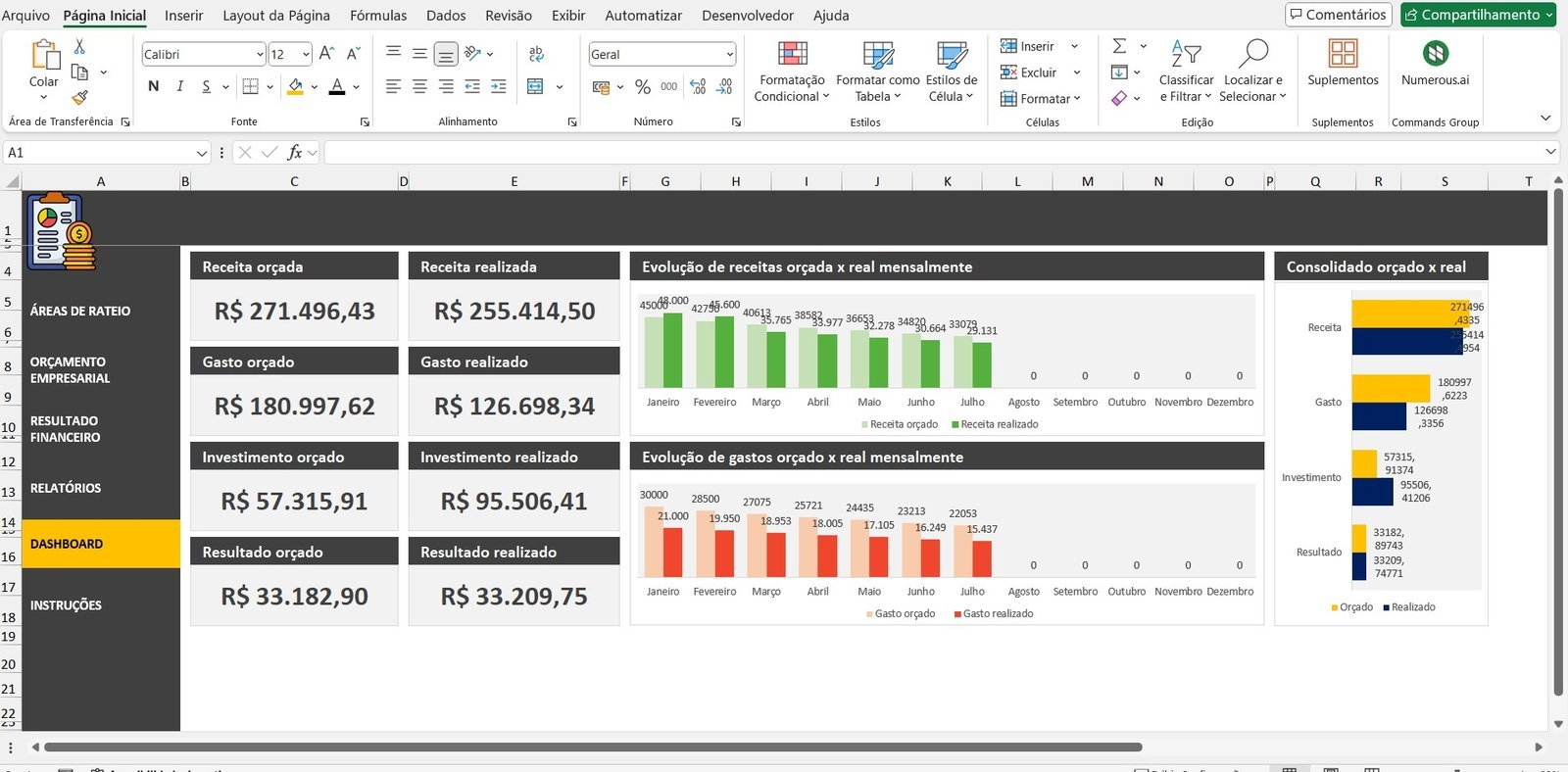
Making strategic decisions is much easier when you have a clear view of your numbers. That is why the spreadsheet includes a dynamic, interactive dashboard with:
- Charts and visual indicators for quick and efficient analysis.
- A consolidated summary of the budget and of the financial results.
- Alerts about deviations between budget and actual, helping you keep your finances under control.
Frequently Asked Questions (FAQ)
Can I allocate costs by salesperson, sales channel or cost center?
Yes. You can choose between different ways of allocating: by salesperson, sales channel, company area, cost center or product/service.
Does the spreadsheet compare the budget with the actual amount?
Yes. The Budget vs Actual Comparison shows the percentage differences between the forecast amounts and the amounts actually recorded.
Does the dashboard alert me to deviations between budget and actual?
Yes. The interactive dashboard includes automatic alerts about deviations between budget and actual.
Do I need to pay a monthly fee to use it?
No. It is a one-time payment, with no monthly fees or recurring charges.
Do I get support after purchase?
Yes. Support is provided on WhatsApp after you purchase the spreadsheet.
Transform Your Financial Management
Transform your financial management and make smarter decisions!
Watch the Video About the Business Budget Excel Spreadsheet