OKR Excel Spreadsheet – Organize Objectives and Key Results with Google's Methodology
With this OKR Excel Spreadsheet, you can organize all of your business's objectives and key results according to the OKR (Objectives & Key Results) methodology. Originally created at Intel and popularized by Google, this goal-management framework keeps your team aligned and focused on tangible results.
Who This Spreadsheet Is For
This OKR Excel Spreadsheet is ideal for companies that want to implement efficient, structured goal management. Whether you run a small, medium, or large company, this spreadsheet helps align objectives and key results at every level of the organization.
- Small businesses
- Medium-sized companies
- Large companies
Key Benefits
Company-Wide Alignment
Set global objectives and cascade them into area-specific OKRs, keeping every team focused on the same results.
Automatic Monthly Tracking
Update progress each month and instantly see the completion percentage of each goal.
Clear Visual Reports
Color-coded reports highlight which objectives are on track and which need more attention.
Built-In OKR Guidance
A glossary explains key OKR terms and gives practical tips for implementing the methodology effectively.
What the Spreadsheet Includes
- Global OKRs: define your company's overall objectives and the key results needed to achieve them each quarter, with monthly progress tracking and completion percentage
- Area OKRs: set specific objectives and key results for each core area of your business, aligned with the global objectives
- Area OKR Report: track completion percentage by area, with color-coded formatting that highlights what's on track and what needs attention
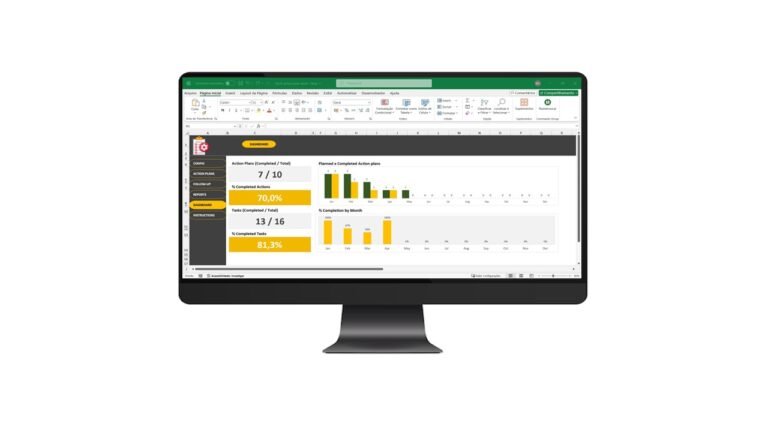
- OKR Dashboard: a control panel with key indicators and charts showing overall OKR completion
- OKR Methodology Guide: a glossary of key terms and practical tips for implementing OKRs in your business
How It Works
1. Define your global objectives. Set your company's main objectives for the quarter and the key results needed to achieve them.
2. Track monthly progress. Update progress every month and adjust actions as needed to stay on target.
3. Set objectives by area. Define specific objectives and key results for each area of the business, keeping every team aligned.
4. Review the reports. Use the automatic reports to see completion percentages and spot areas that need adjustments.
5. Check the dashboard. Access a visual panel with key performance indicators and overall OKR progress.
Frequently Asked Questions (FAQ)
What is the OKR methodology?
OKR (Objectives & Key Results) is a goal-management framework that helps define and track objectives and key results within an organization.
How can this OKR spreadsheet help my business?
It helps you organize and monitor objectives and key results, keeping every area of the company aligned and focused on specific goals.
Is this spreadsheet suitable for companies of any size?
Yes, it works for companies of any size, from small startups to large corporations, making it easier to implement the OKR methodology.
Are the reports generated automatically?
Yes, the spreadsheet automatically generates reports showing the progress of objectives and key results, making analysis and decision-making easier.
Does this spreadsheet work in Excel?
Yes, it's built entirely in Microsoft Excel, with no add-ins or macros required to use it.
Is this a one-time purchase?
Yes, it's a single payment with no recurring subscription, and you get unlimited use of the file.
Get It Now!
Transform your company's goal management with this OKR Excel Spreadsheet. Get it now and start organizing your objectives and key results in a clear, structured way.
Watch the Video About the OKR Excel Spreadsheet