Frequently Asked Questions (FAQ)
What can I do with the Task Control spreadsheet?
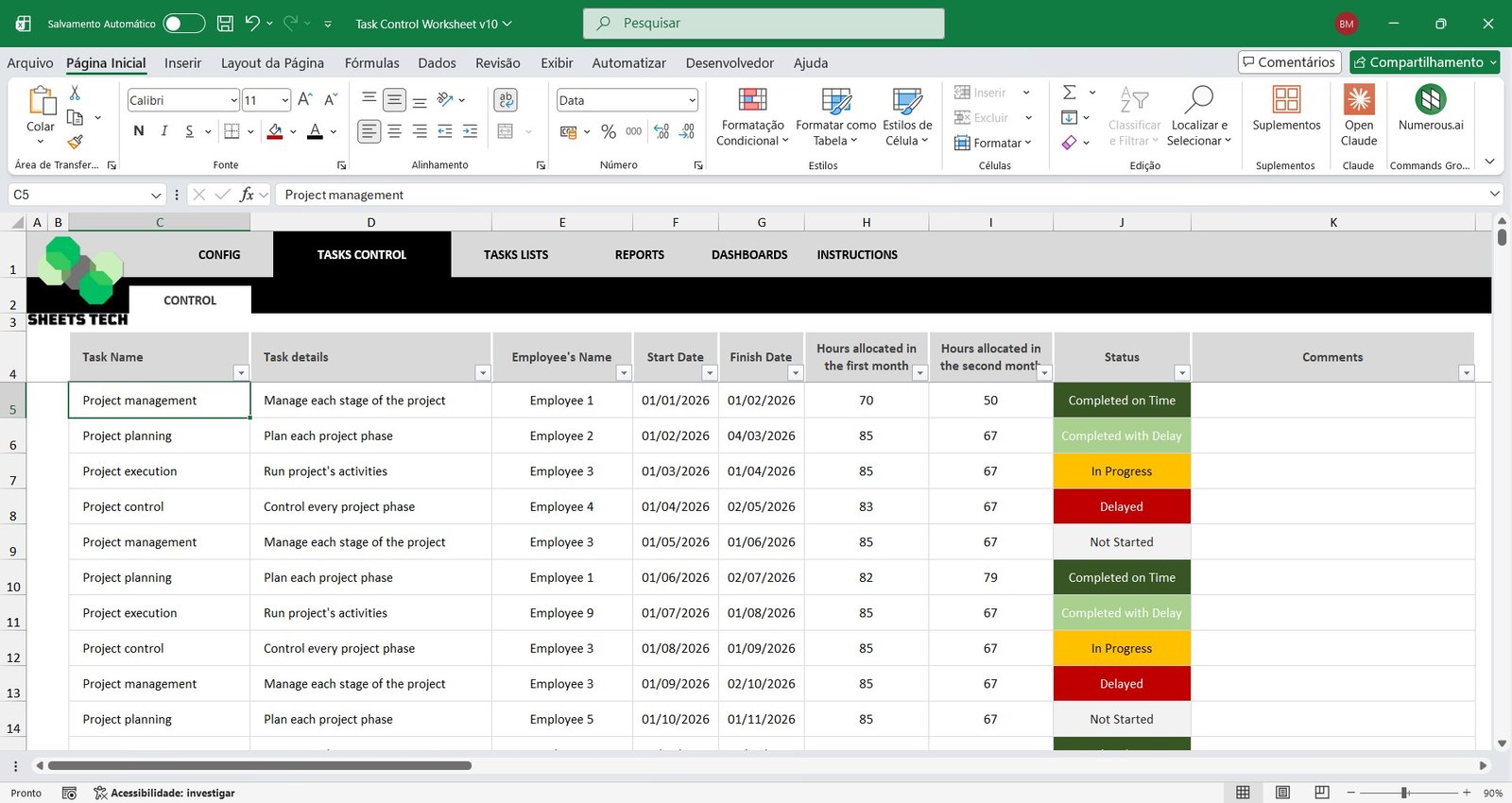
You can register employees and areas, assign tasks with start and end dates and estimated hours, record the actual hours used and update the status of each task.
Can I see tasks by employee or by area?
Yes. It includes task lists and analysis dashboards by area or by employee.
Which indicators does the dashboard show?
It shows the total number of tasks, the tasks completed on time, the tasks completed late and the tasks in progress.
Is this a one-time purchase?
Yes. It is a one-time payment with no monthly fees, and you can use the spreadsheet with no time limit.
Is support included after purchase?
Yes. After your purchase you get a video tutorial and support on WhatsApp to answer questions about using the spreadsheet.
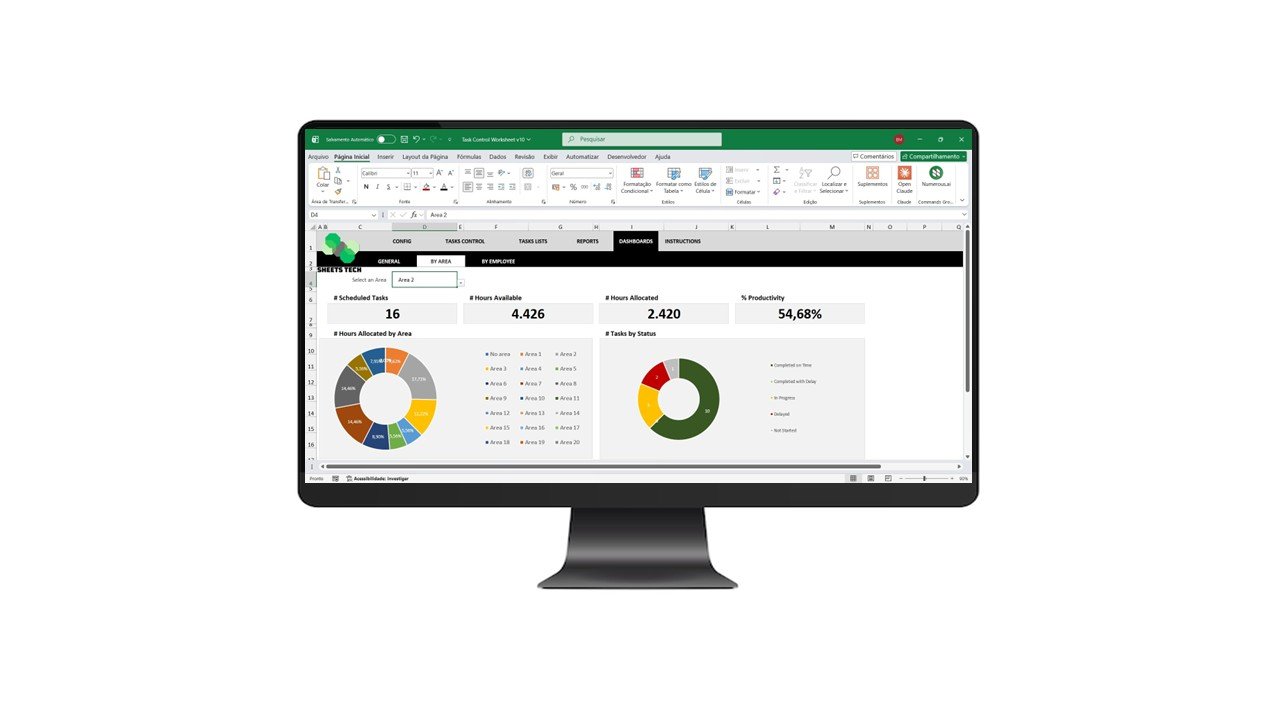
Organize, assign, and monitor all company activities with this complete Task Control Excel Spreadsheet Template.
Designed for businesses that need structured task management without complex systems, this powerful Employee Task Management Spreadsheet allows you to distribute tasks, track progress, monitor hours worked, and measure productivity — all inside Excel.
Improve team organization, increase efficiency, and gain full visibility of your operations using a professional Task Tracking Excel Template.
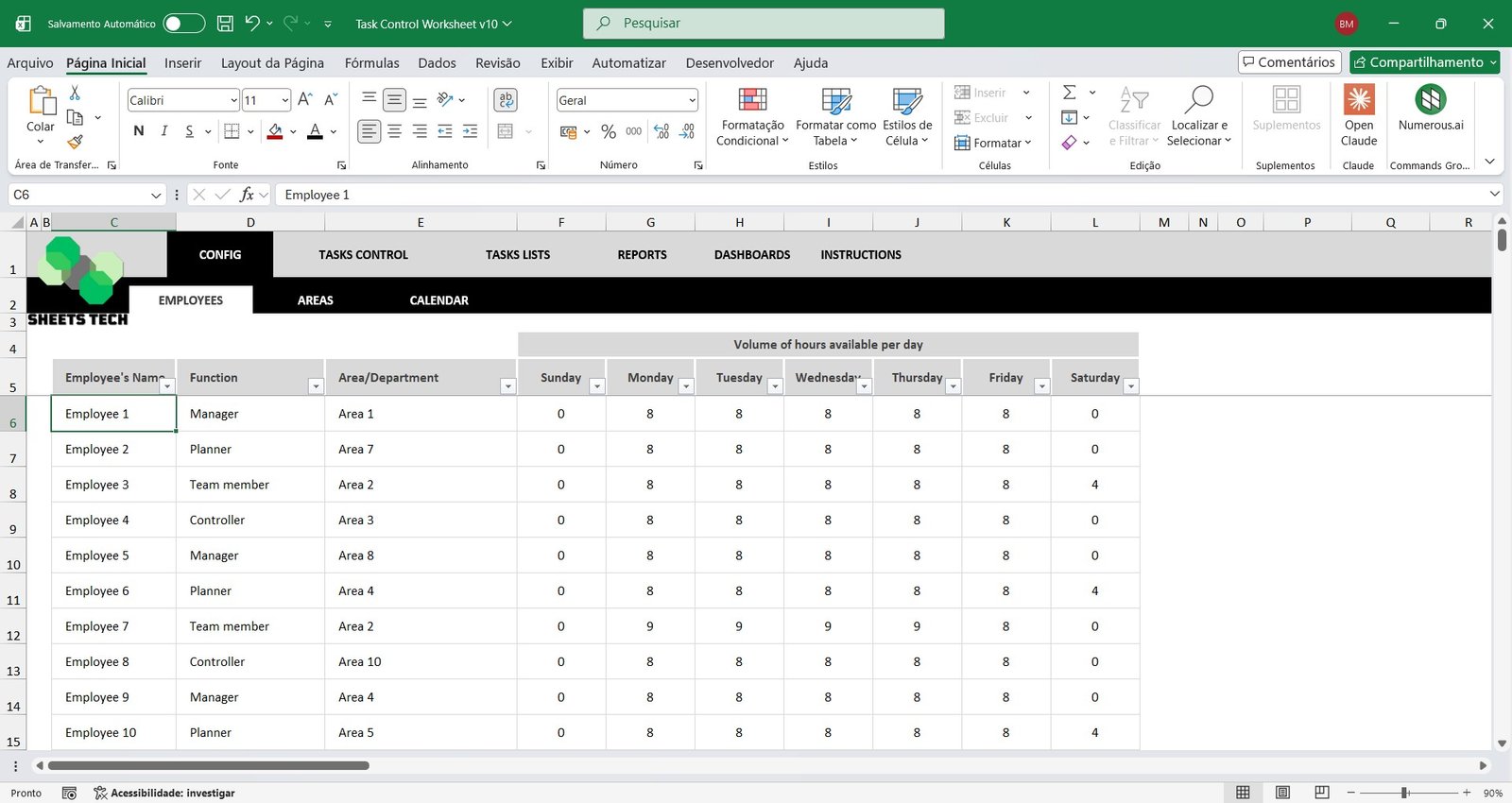
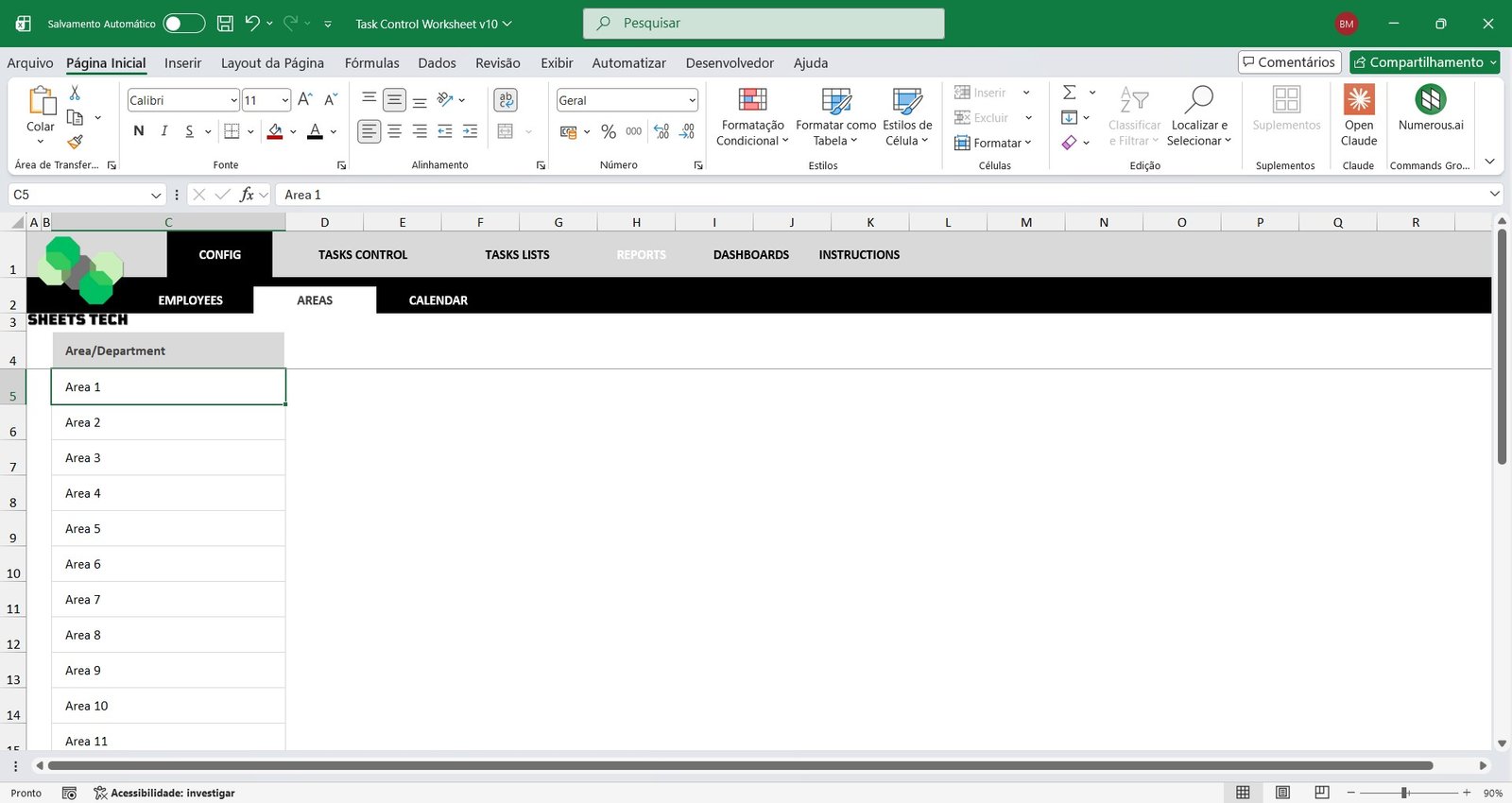
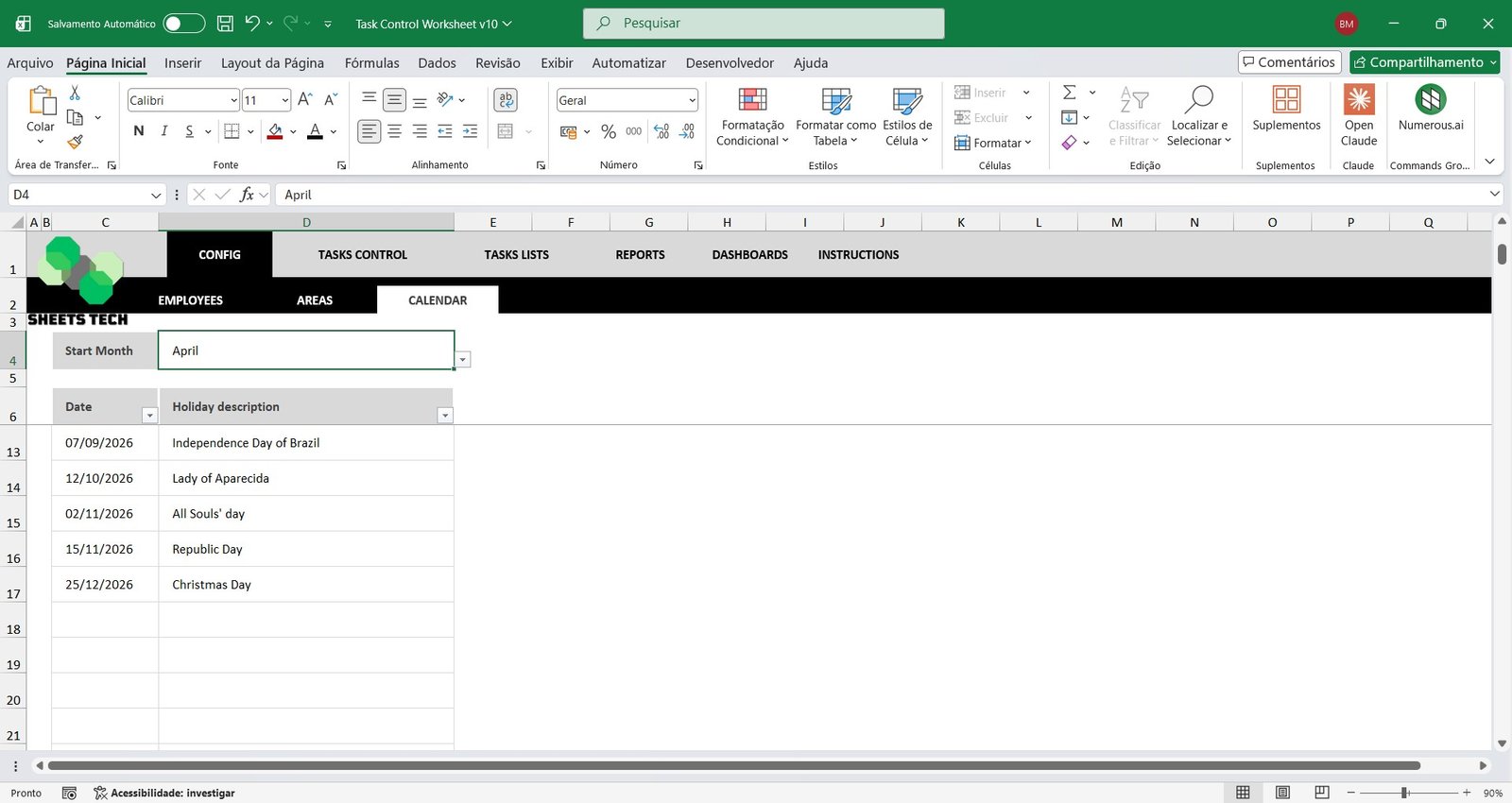
Employee, Area, and Calendar Registration
Start by setting up your company structure within the spreadsheet:
- Register all employees
- Assign employees to their respective areas or departments
- Define the starting schedule for task control
This organized foundation ensures accurate reporting in your Workforce Planning Spreadsheet.
Task Control and Assignment
Easily record and manage every task that needs to be completed in your business.
- Define task responsibilities
- Set start and end dates
- Allocate estimated hours
- Record actual hours used
- Update task status (Not Started, In Progress, Completed On Time, Completed Late)
This structured Project Task Tracking Excel Template automatically feeds reports and dashboards with real-time data.
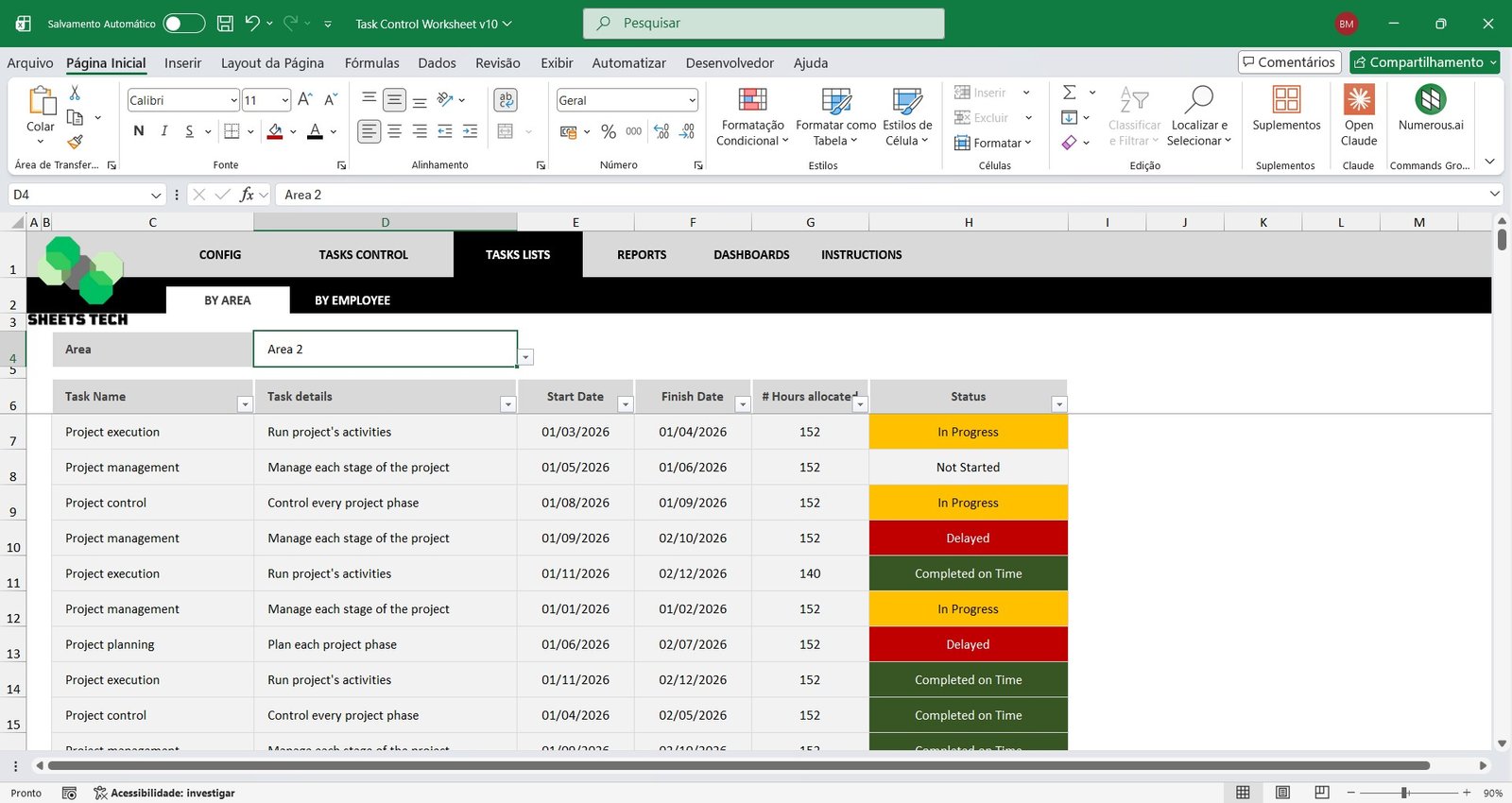
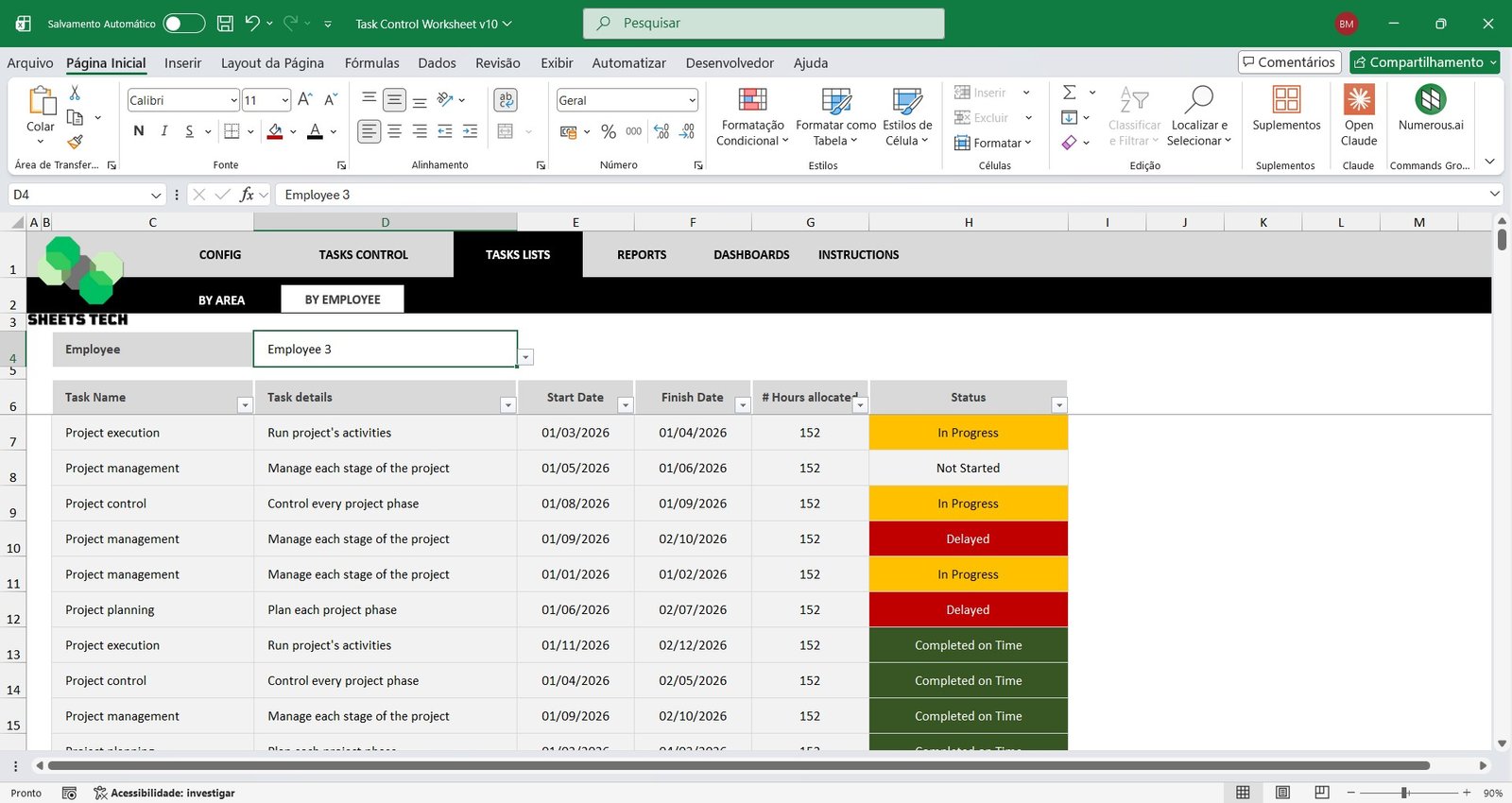
Task List by Area or Employee
Filter and analyze tasks by:
- Specific department
- Individual employee
This feature allows objective performance monitoring and helps managers quickly identify workload distribution and efficiency using a smart Employee Task Analysis Spreadsheet.
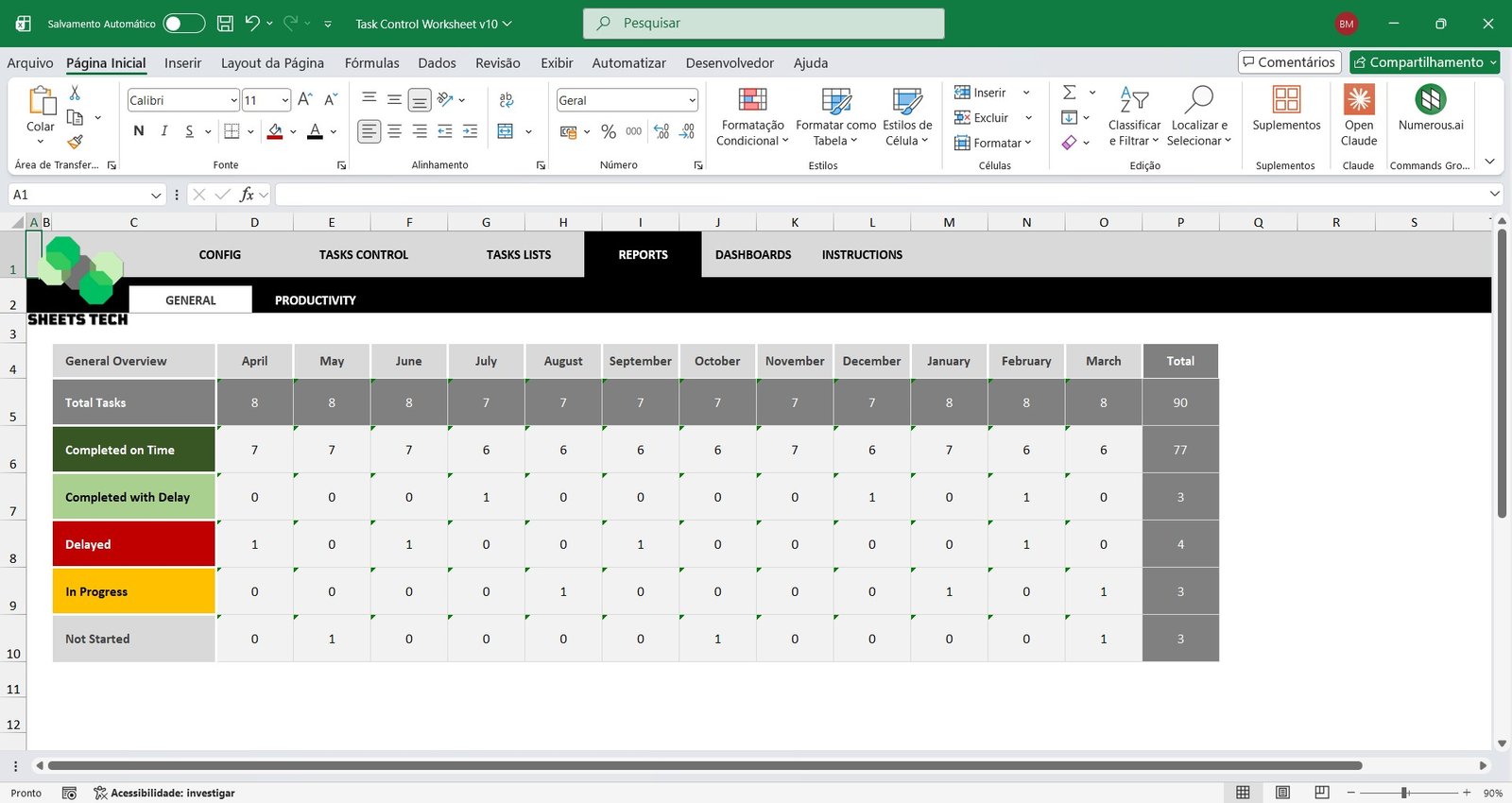
Monthly Task Control Report
Get a complete month-by-month overview of all recorded activities.
- Total number of tasks
- Tasks completed on time
- Tasks completed late
- Tasks in progress
- Tasks not started
This detailed Monthly Task Report in Excel improves planning and accountability.
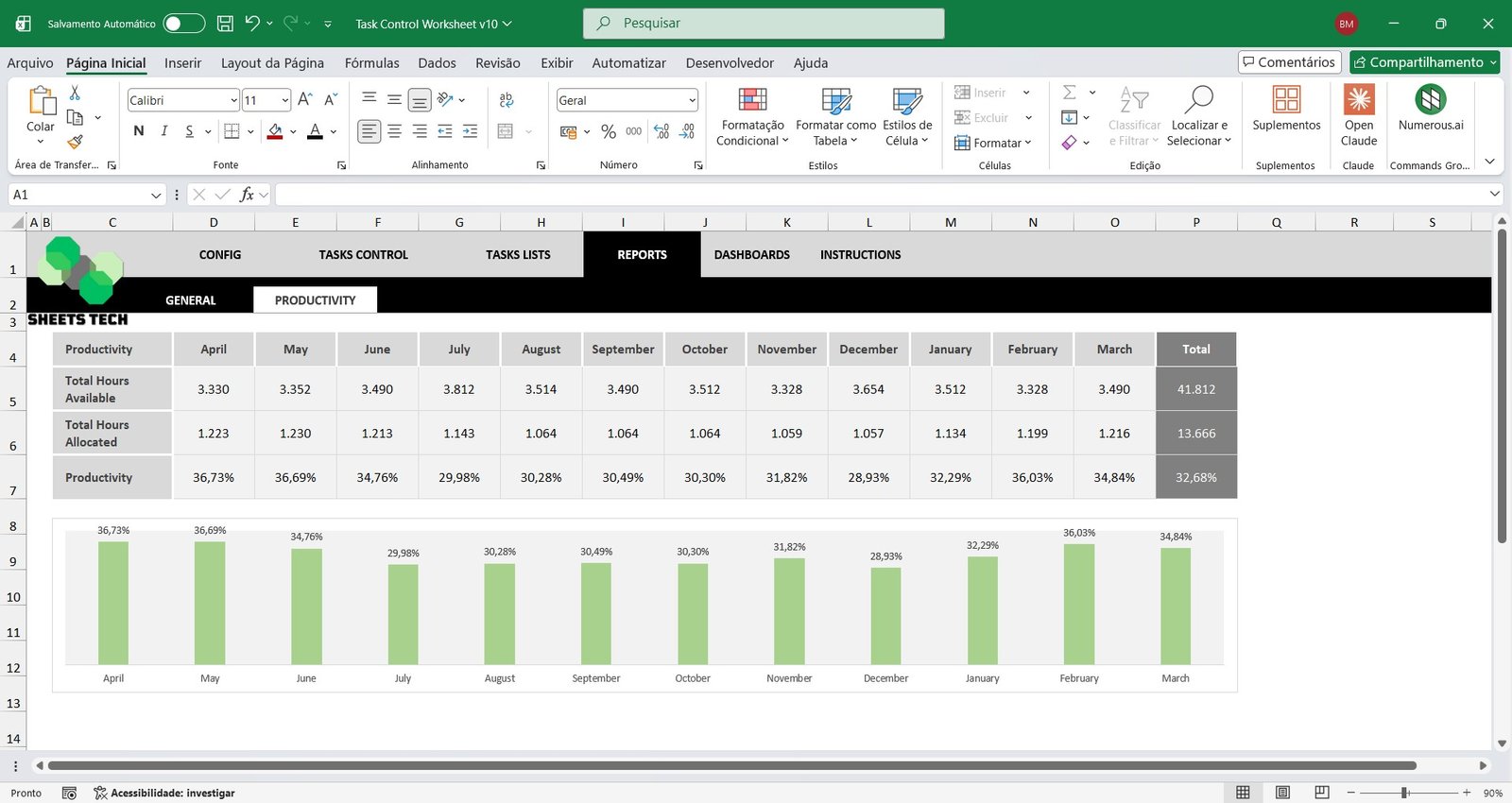
Productivity Report and Hours Control
Track workforce efficiency with a complete Productivity Control Spreadsheet.
- Monitor available hours per month
- Analyze allocated hours
- Compare planned vs. executed time
- Calculate overall monthly productivity percentage
Make better operational decisions using reliable productivity data.
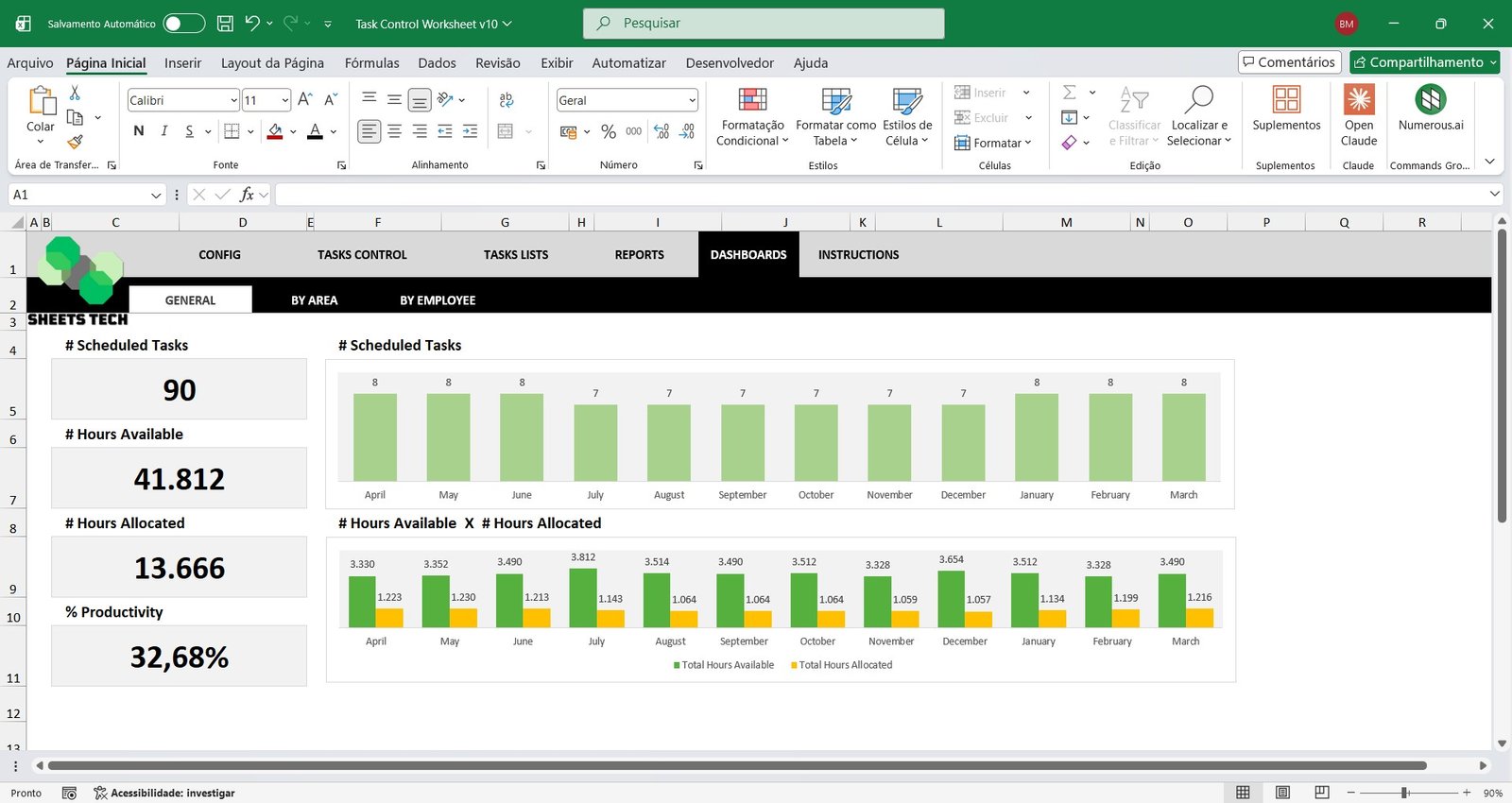
General Dashboard
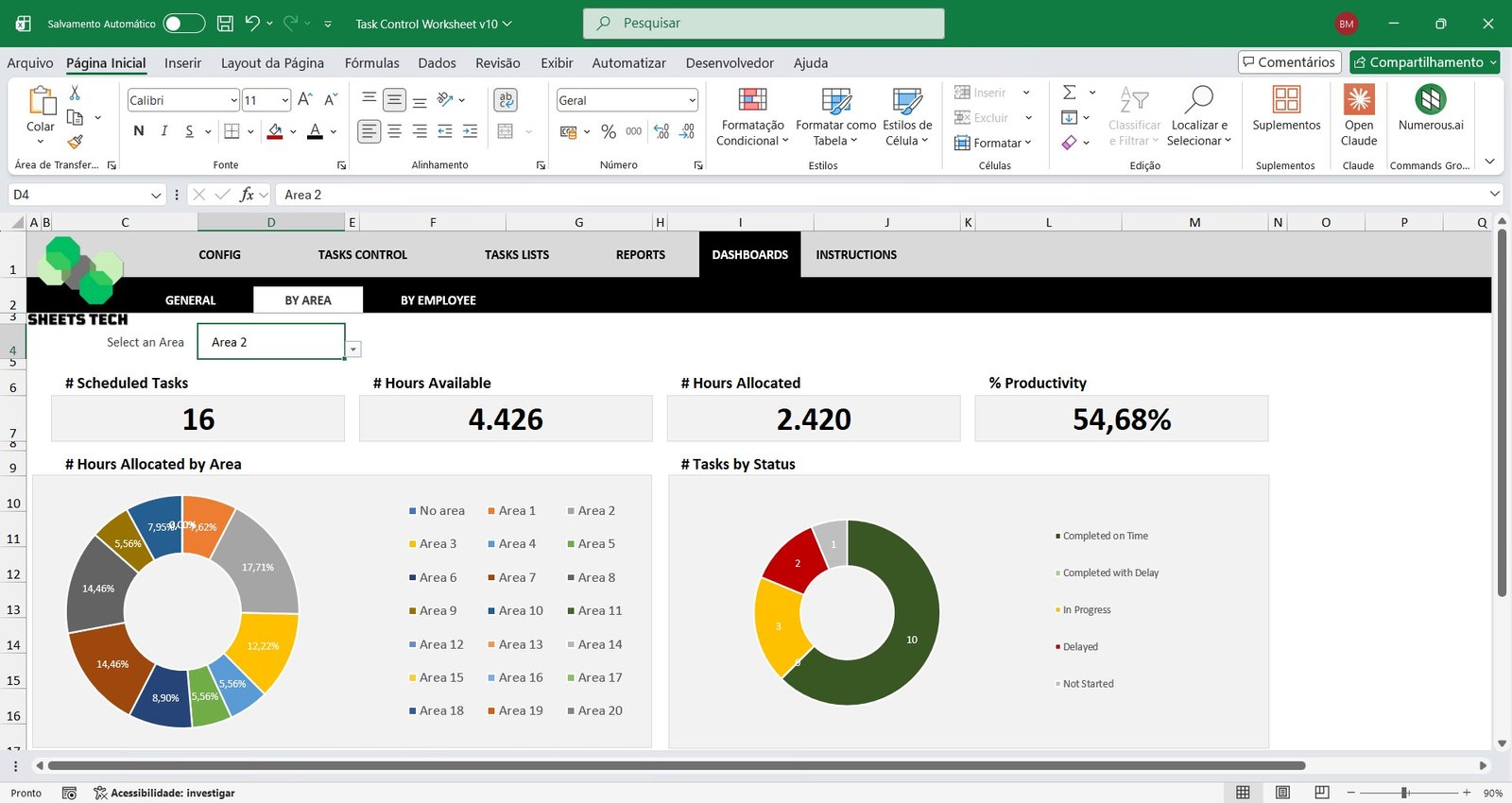
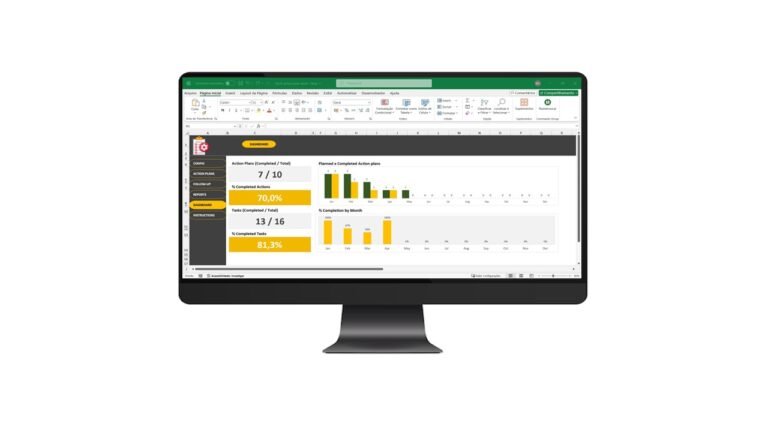
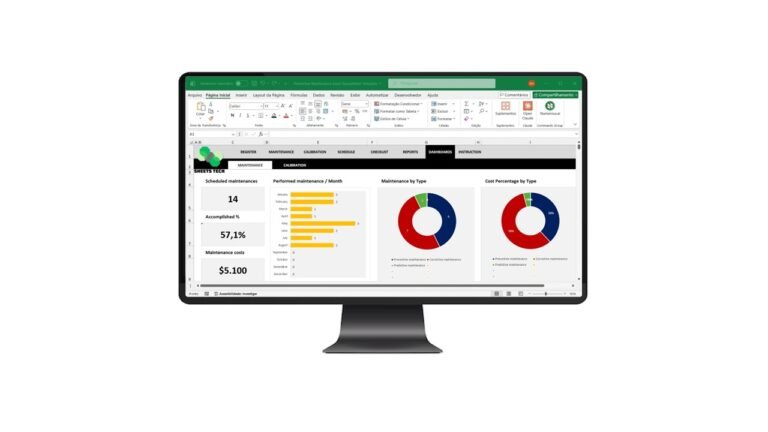
The spreadsheet compiles a powerful Task Management Dashboard in Excel with key indicators such as:
- Total planned tasks
- Available hours
- Allocated hours
- Overall productivity percentage
- Monthly task evolution charts
- Hours usage column charts
All essential KPIs in one visual control panel.
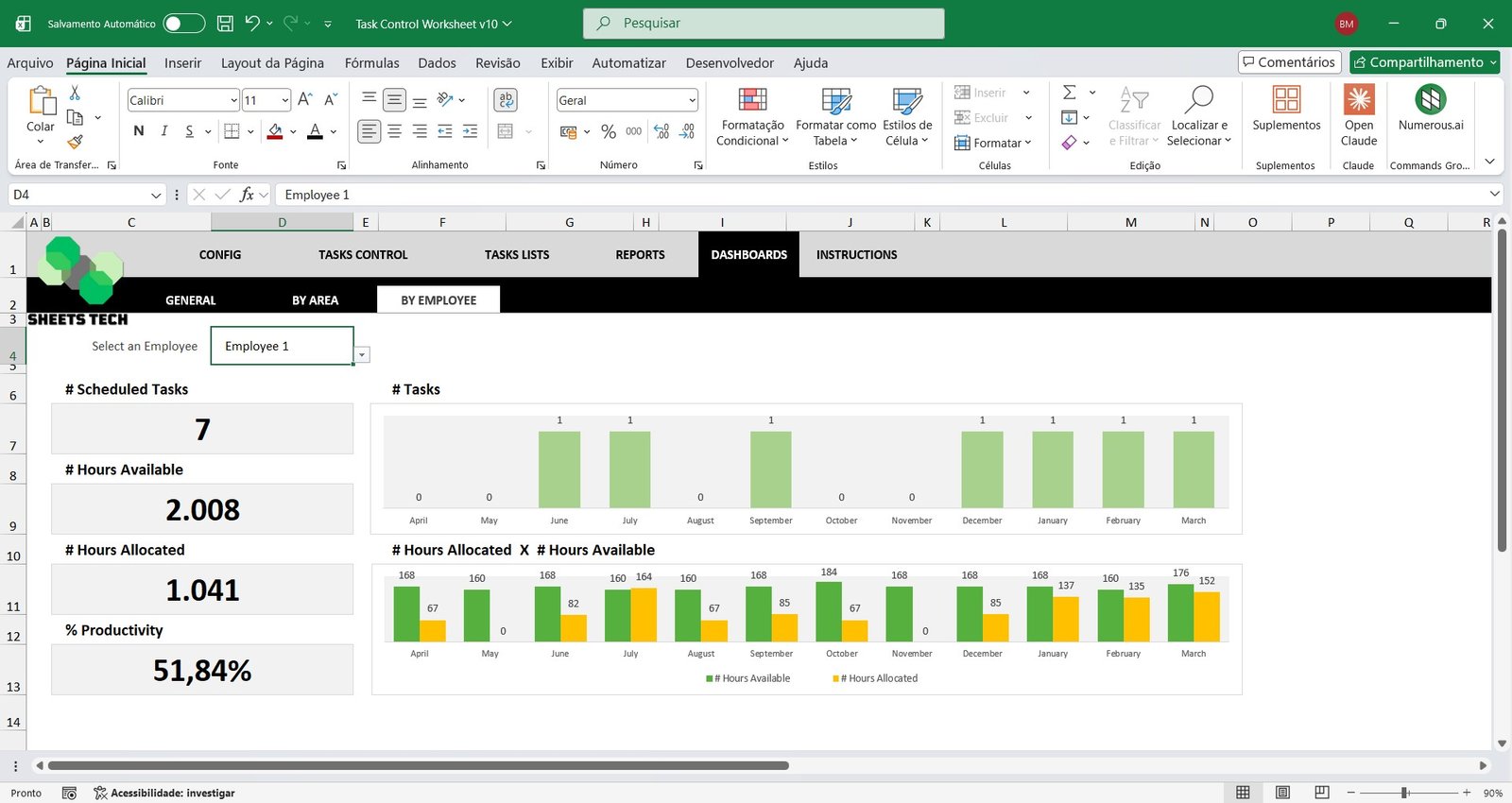
Area or Employee Analysis Dashboards
Select a specific area or employee to access a dedicated Performance Dashboard in Excel featuring:
- Individual productivity indicators
- Task completion statistics
- Hours allocation analysis
- Graphical performance reports
Ideal for managers who need detailed operational insights and performance tracking.
Why Choose This Task Control Excel Spreadsheet Template?
- Fully automated calculations
- Easy-to-use structure
- No monthly subscription fees
- Professional dashboards and reports
- Ideal for small and medium-sized businesses
Take control of your team’s activities and boost efficiency with a complete Task Control and Productivity Excel Spreadsheet Template.
Watch the video about the Task Control Excel Spreadsheet Template