In today’s fast-paced work environment, staying on top of tasks can be daunting. That’s why a Task Control Excel Spreadsheet Template is essential for streamlining your workflow. Whether you’re managing a team or organizing personal projects, this tool can help you keep everything in check.
Why You Need a Task Control Excel Template
A Task Control Excel Spreadsheet Template is more than just a list of tasks. It’s a comprehensive system designed to enhance your productivity and ensure nothing slips through the cracks. Here’s why it’s indispensable:
- Centralized Management: Keep all task details in one place.
- Prioritization: Easily identify urgent tasks versus those that can wait.
- Progress Tracking: Monitor the status of ongoing tasks effortlessly.
Common Challenges in Task Management
Handling multiple tasks can lead to disorganization, missed deadlines, and stress. Many professionals struggle with:
- Overlapping Deadlines: Without a clear system, deadlines can become overwhelming.
- Lack of Visibility: Not knowing who is doing what, leading to duplicated efforts.
- Ineffective Prioritization: Focusing on low-priority tasks while high-priority ones are neglected.
How the Task Control Excel Template Solves These Issues
The Task Control Excel Spreadsheet Template from SheetsTech offers a practical solution. Here’s how it addresses common task management problems:
- Integrated Task Overview: View all tasks at a glance, ensuring nothing is forgotten.
- Automated Priority Setting: Set and adjust task priorities with ease.
- Collaboration-Friendly: Share the template with your team to enhance coordination.
By adopting this tool, you can transform how you manage tasks, leading to increased efficiency and reduced stress.
Features of the Task Control Excel Template
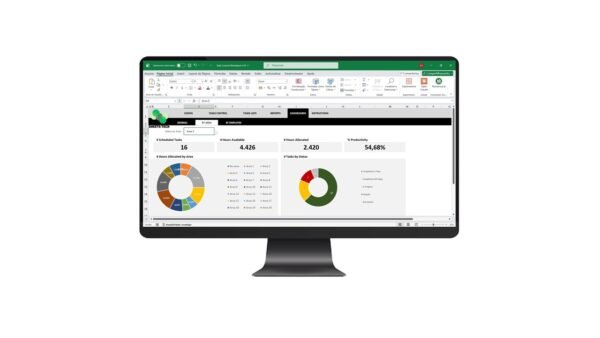
Discover the standout features of the complete tool:
- Customizable Layouts: Adapt the template to suit your specific needs.
- Conditional Formatting: Highlight critical tasks automatically.
- Pre-built Formulas: Automate calculations, saving you time.
Benefits of Using a Task Control Excel Template
- Improved Productivity: Focus on completing tasks rather than organizing them.
- Time Management: Allocate time effectively to meet all deadlines.
- Enhanced Accountability: Clearly assign and track task ownership.
Frequently Asked Questions
How easy is it to customize the template?
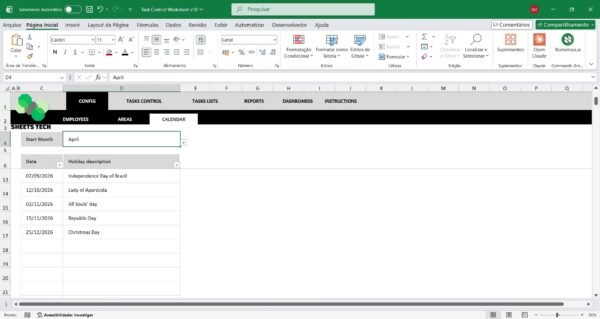
The template from SheetsTech is designed for easy customization. You can modify fields, adjust layouts, and incorporate your branding with minimal effort.
Can I use this template for team projects?
Absolutely. The template is ideal for team settings, allowing multiple users to update task statuses and share progress.
Is there a tutorial available?
Yes, SheetsTech provides detailed instructions to help you get the most out of the template.
Conclusion
A Task Control Excel Spreadsheet Template is your go-to tool for efficient task management. By using the template from SheetsTech, you can keep your tasks organized and your workflow smooth. Don’t let disorganization hold you back—take control of your tasks today!
See Also
Boost your results with these other tools: