In today’s fast-paced business environment, effective inventory management is crucial for success. An Inventory Management Excel Spreadsheet Template can be a game-changer, providing an organized and efficient way to track your stock levels, reduce wastage, and ultimately save time and money. Let’s explore how you can optimize your inventory processes with this powerful tool.
Why Excel for Inventory Management?
Flexibility and Customization
Excel offers unparalleled flexibility, allowing you to customize your inventory management system according to your specific needs. Whether you’re managing a small retail shop or a large warehouse, an Excel spreadsheet can be tailored to fit your unique requirements.
Cost-Effectiveness
Unlike expensive software solutions, an Excel inventory management template is cost-effective, making it accessible for businesses of all sizes. With just a basic understanding of Excel, you can start managing your inventory without breaking the bank.
Common Inventory Management Challenges
Overstocking and Stockouts
One of the biggest challenges businesses face is balancing stock levels. Overstocking ties up capital, while stockouts lead to missed sales opportunities. An inventory management template can help you monitor stock levels in real-time, ensuring you maintain the right balance.
Complex Data Analysis
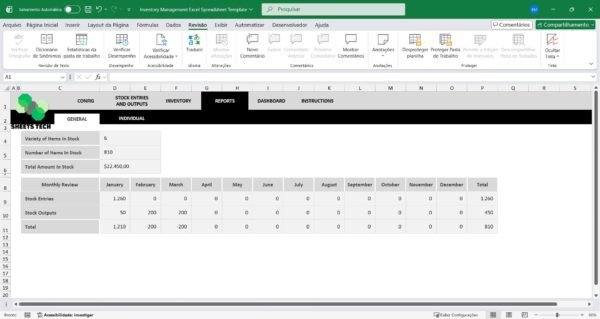
Managing inventory involves analyzing large amounts of data. This can be overwhelming, especially for small businesses. A well-designed Excel template simplifies data analysis, making it easier to identify trends and make informed decisions.
The Solution: SheetsTech’s Inventory Management Template
For a comprehensive solution, consider SheetsTech’s Inventory Management Excel Spreadsheet Template. This tool is designed to streamline your inventory processes, providing numerous benefits:
- Ease of Use: With an intuitive interface, even Excel novices can manage their inventory effectively.
- Real-Time Updates: Keep your stock data current with automatic updates.
- Customizable Features: Tailor the template to suit your business needs.
To download the spreadsheet and start optimizing your inventory management, visit SheetsTech today.
Key Benefits of Using SheetsTech’s Template
- Improved Accuracy: Minimize human errors with automated calculations.
- Time Savings: Spend less time on manual data entry and more on growing your business.
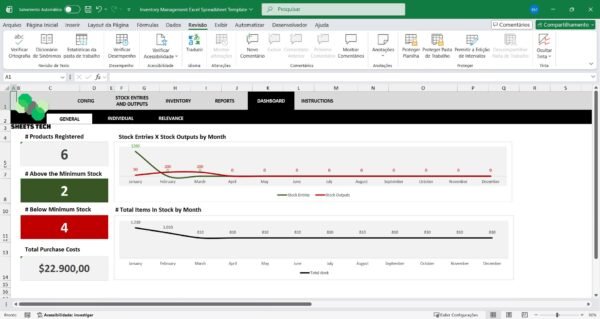
- Enhanced Decision Making: Gain insights from detailed reports and analytics.
For more information, view the complete tool and transform your inventory management process.
Frequently Asked Questions
Is the template suitable for any business size?
Yes, the Inventory Management Excel Spreadsheet Template is versatile enough to cater to both small businesses and large enterprises.
Can I customize the template?
Absolutely! The template is fully customizable, allowing you to adapt it to your specific inventory needs.
Conclusion
Effective inventory management is essential for any business looking to thrive in a competitive market. By utilizing an Excel template, you can streamline your processes, reduce costs, and improve accuracy. Don’t miss out on the opportunity to enhance your inventory management. Download the template today and take control of your stock.
See Also
Boost your results with these other tools: