Managing fuel expenses can be a daunting task, but with a Fuel Control Worksheet Excel Template, you can effortlessly track and optimize your fuel usage. This guide will walk you through the benefits and usage of this essential tool, ensuring you never lose track of your fuel costs again.
Why You Need a Fuel Control Worksheet
Tracking fuel expenses is crucial for both personal and business use. It helps in budgeting, reduces unnecessary spending, and optimizes fuel efficiency. A Fuel Control Worksheet Excel Template simplifies this process by providing a structured format to record and analyze fuel consumption data.
Key Features of the Fuel Control Worksheet
- Comprehensive Tracking: Log every fuel purchase, including date, volume, and price.
- Automated Calculations: Instantly calculate total fuel consumption and cost over time.
- Visual Insights: Generate charts to visualize fuel usage trends.
How to Use the Fuel Control Worksheet
Using a Fuel Control Worksheet is straightforward. Here’s a step-by-step guide to get you started:
Step 1: Download the Template
To begin, download the spreadsheet from SheetsTech. This ready-to-use template is designed to streamline your fuel management tasks.
Step 2: Input Initial Data
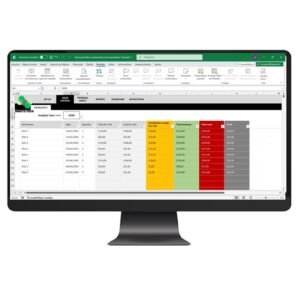
- Vehicle Details: Enter the make, model, and year of your vehicle.
- Fuel Purchases: Log each transaction with details like date, price per gallon, and total cost.
Step 3: Analyze and Optimize
Regularly update the worksheet and use its analytical features to identify patterns. This can help you adjust driving habits or find more cost-effective fuel sources.
The Solution: SheetsTech’s Fuel Control Worksheet
SheetsTech offers the complete tool to manage your fuel costs effectively. Here’s why it’s the ideal choice:
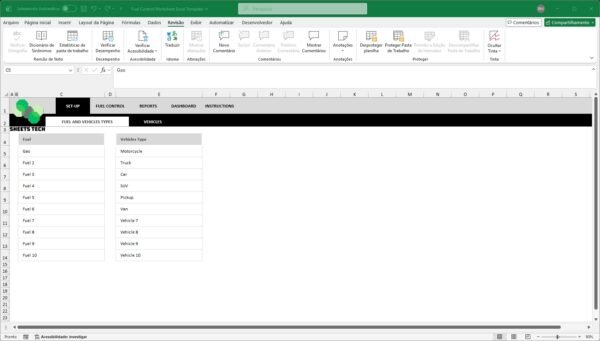
- User-Friendly Interface: Easy to navigate and input data.
- Customizable: Adapt the template to fit unique needs.
- Reliable Support: Access customer service for any inquiries.
Benefits of Using SheetsTech’s Template
- Cost Savings: Identify and eliminate wastage.
- Time Efficiency: Spend less time managing expenses with automated features.
- Accurate Data: Ensure precise tracking with structured data entry.
FAQ
How often should I update the worksheet?
Update your worksheet after every fuel purchase to maintain accuracy.
Is the template compatible with all Excel versions?
Yes, the template is compatible with all recent versions of Excel.
Conclusion
With the right tools, managing fuel expenses becomes a breeze. Embrace the power of the Fuel Control Worksheet Excel Template from SheetsTech to take control of your fuel costs today.
See Also:
Boost your results with these other tools: