In today’s fast-paced world, managing finances efficiently is crucial. A Financial Indicators Excel Spreadsheet Template can be your best ally in tracking financial health. This tool helps you assess crucial financial metrics effortlessly, ensuring you’re always on top of your game.
Why Financial Indicators Matter
Understanding financial indicators is key to making informed business decisions. Whether you’re a small business owner or a financial analyst, knowing your financial status can prevent costly mistakes and guide you to success.
Key Financial Indicators to Track
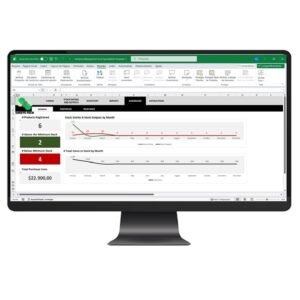
- Profit Margins: Assess how well your business is generating profits relative to sales.
- Liquidity Ratios: Ensure your business can meet short-term obligations.
- Return on Investment (ROI): Evaluate the efficiency of your investments.
Common Challenges in Financial Tracking
Many businesses struggle with maintaining accurate and up-to-date financial records. This often leads to poor decision-making and financial instability.
Practical Solutions
- Consistent Data Entry: Regularly update your financial records to reflect accurate data.
- Automated Calculations: Use tools that automatically compute complex metrics to avoid errors.
- Comprehensive Reporting: Generate detailed financial reports for better analysis.
Simplifying Financial Management with SheetsTech
The Financial Indicators Excel Spreadsheet Template from SheetsTech provides a comprehensive solution to these challenges. This tool is designed to make financial management straightforward and effective.
- Download the spreadsheet for a ready-to-use template that saves time and reduces errors.
- A complete tool that offers automated calculations and detailed reporting features.
- View the template to explore its user-friendly interface and robust functionality.
Benefits of Using the SheetsTech Template
- User-Friendly Design: Easy to navigate, even for beginners.
- Comprehensive Metrics: Covers all essential financial indicators.
- Time-Saving Features: Automates calculations and report generation.
FAQ
How often should I update the spreadsheet?
Update your spreadsheet weekly to ensure your data remains accurate and reliable.
Can I customize the spreadsheet?
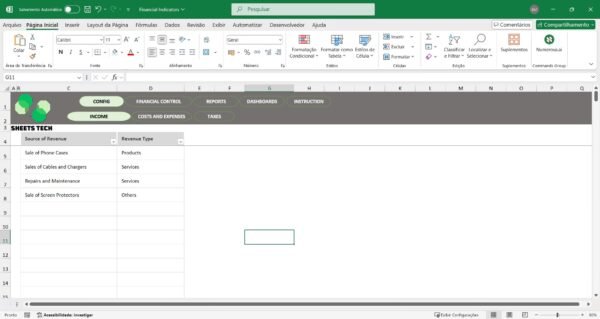
Yes, the template is fully customizable to fit your specific needs.
Conclusion
Mastering your finances doesn’t have to be daunting. With the Financial Indicators Excel Spreadsheet Template, you have a powerful tool at your disposal. Start optimizing your financial management strategy today.
See Also
Boost your results with these other tools: