Accounts Payable and Receivable Excel Spreadsheet – A Clear, Organized View of Your Business Financial Health
The Accounts Payable and Receivable Spreadsheet goes far beyond simple entries. It gives you a clear and organized view of the financial health of your business, with registries, transactions, reports and automatic dashboards.
Who This Spreadsheet Is For
- Companies that need to control accounts payable and receivable
- Accountants and accounting firms that manage multiple companies
- Business owners who run more than one business
Key Benefits
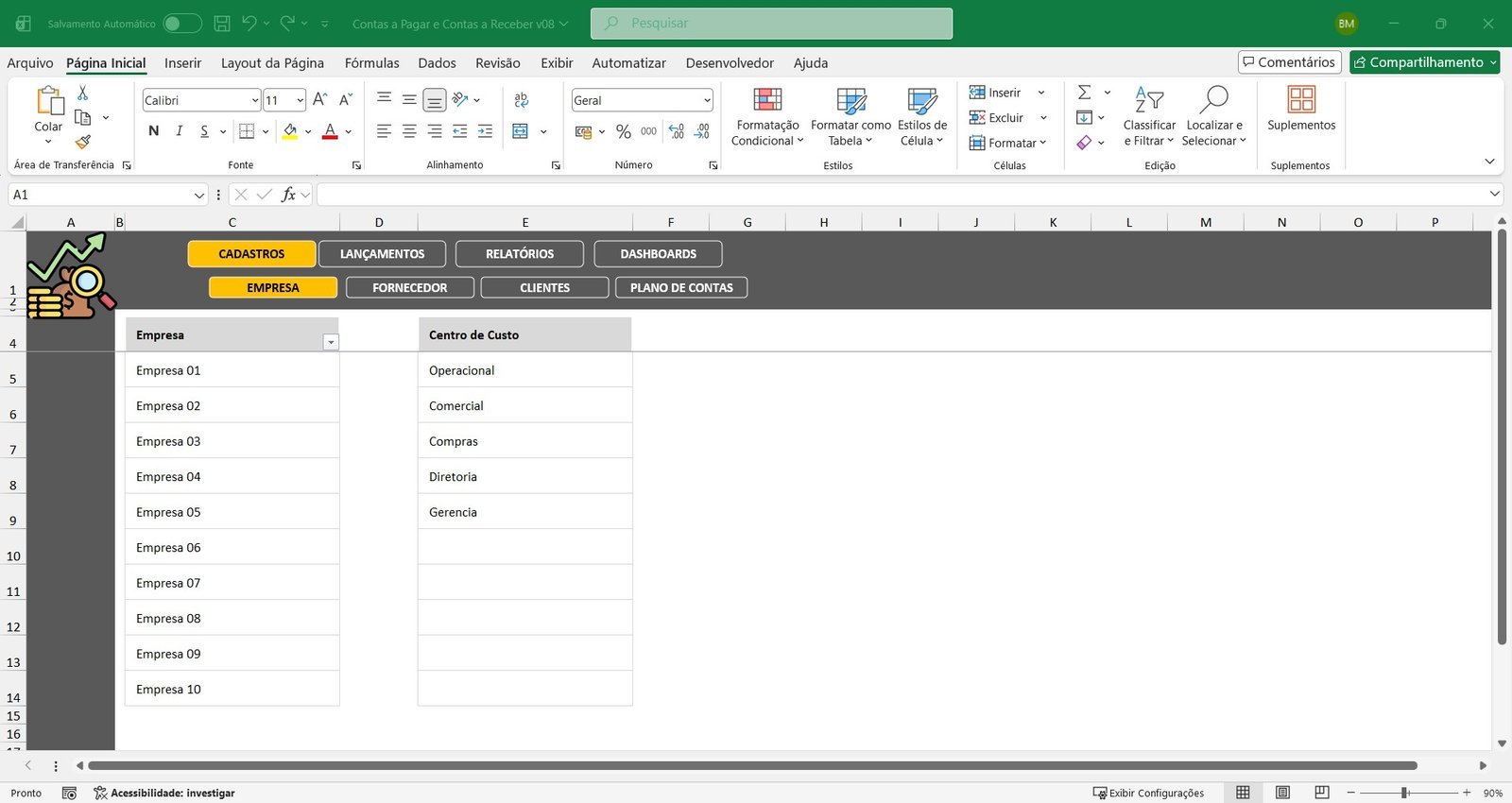
Control Up to 10 Companies in the Same File
Ideal for anyone who manages more than one business or serves several clients.
Automatic Status Updates
Each account is classified automatically as paid, received, payable/receivable or overdue.
Ready-Made Reports and Dashboards
Organized information to support quick financial decisions.
Comparison Between Companies
Compare the results of different companies in a clear and objective way.
What the Spreadsheet Includes
Complete and Organized Registries
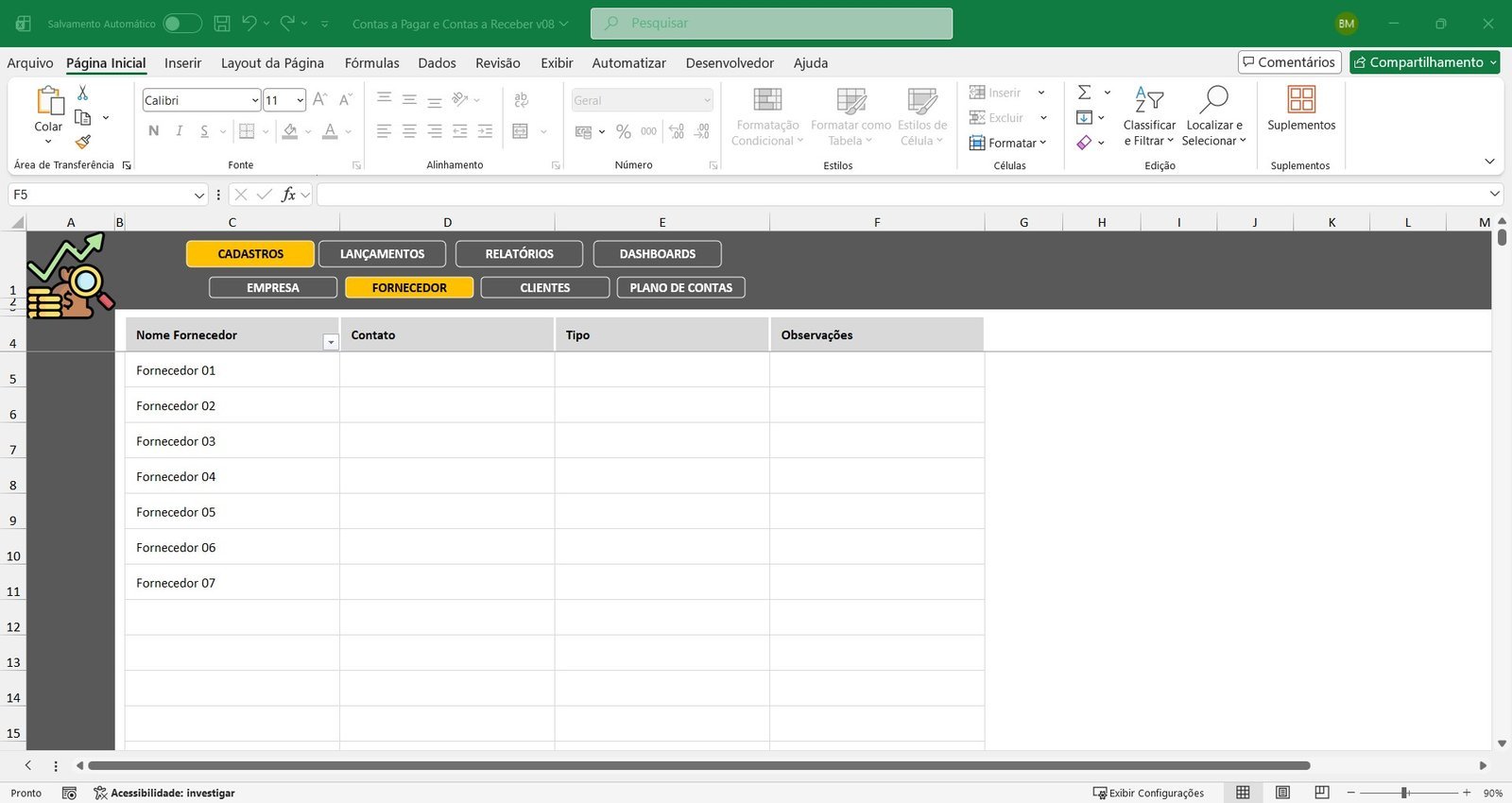
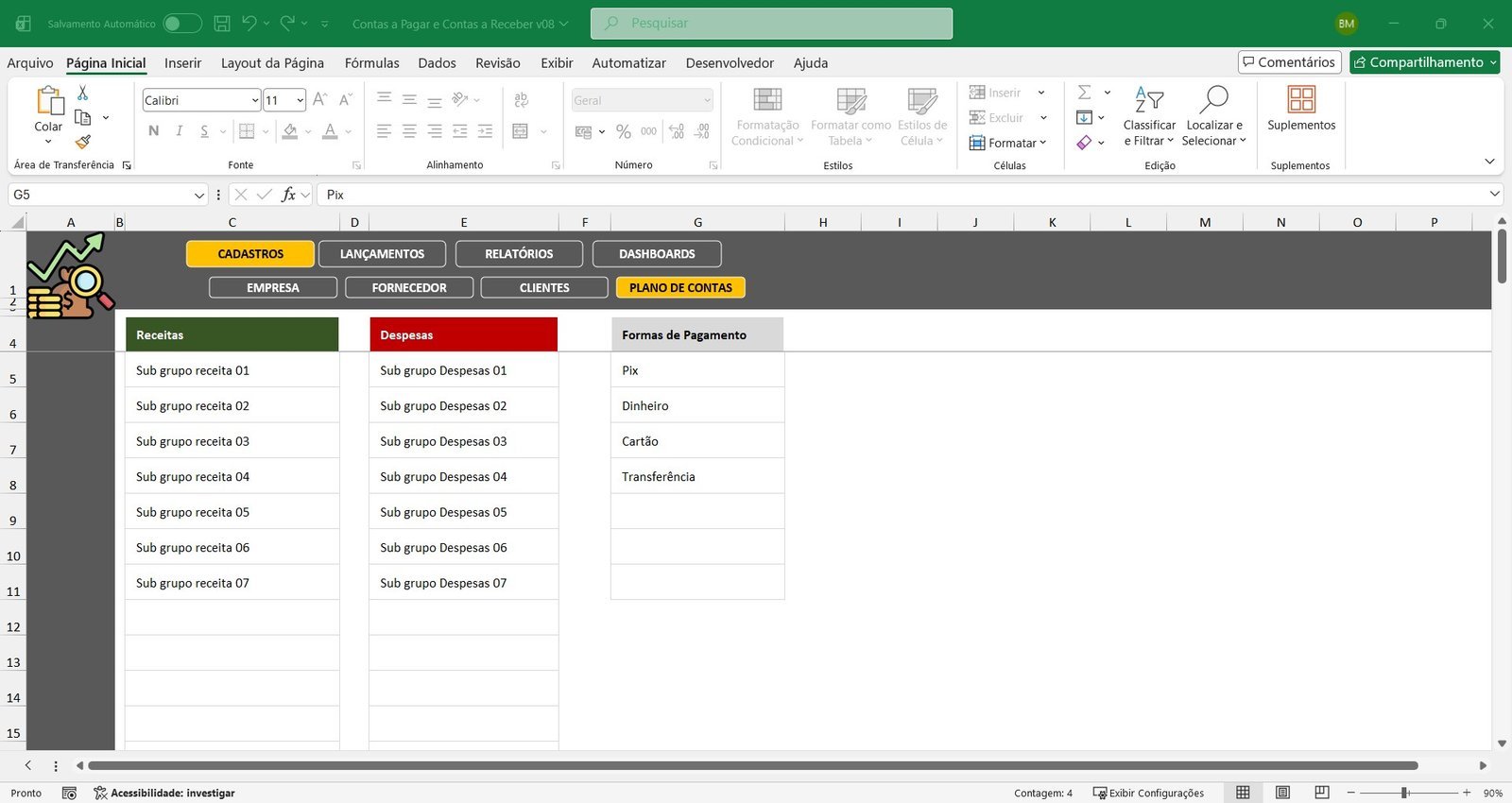
Before entering transactions, you set up the essential registries for efficient financial control: companies (up to 10 in the same file), cost centers, suppliers (with contact details and a notes field), customers, and the chart of accounts, defining which revenue you want to control, which expenses are part of your management and the payment methods you use. This structure ensures standardization, organization and accurate analyses.
Accounts Payable and Accounts Receivable Entries
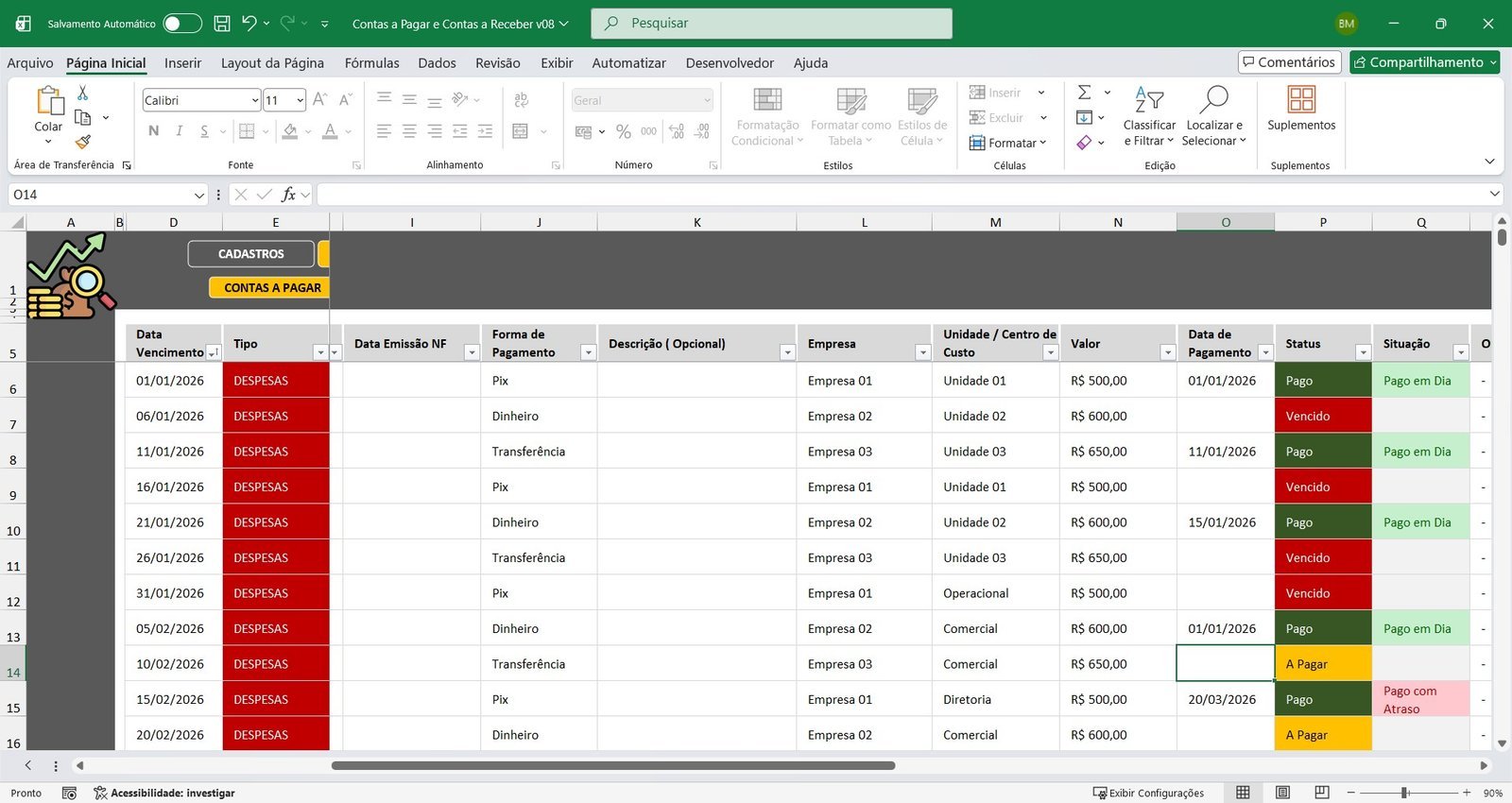
Accounts Payable: in the accounts payable module you enter the due date, account group (chart of accounts), linked supplier, invoice number and date, payment method, an optional description, company and cost center, expense amount and payment date. The status is updated automatically, showing paid on time, paid late, payable or overdue — with no manual formulas or side controls.
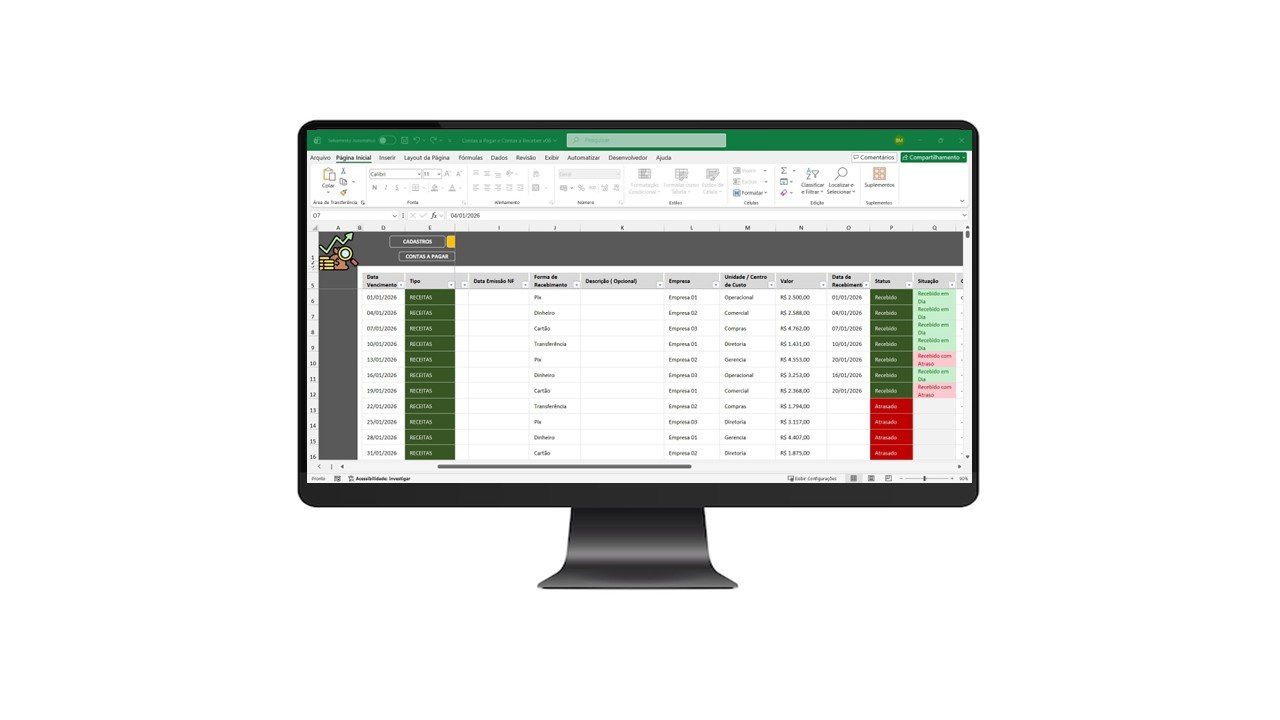
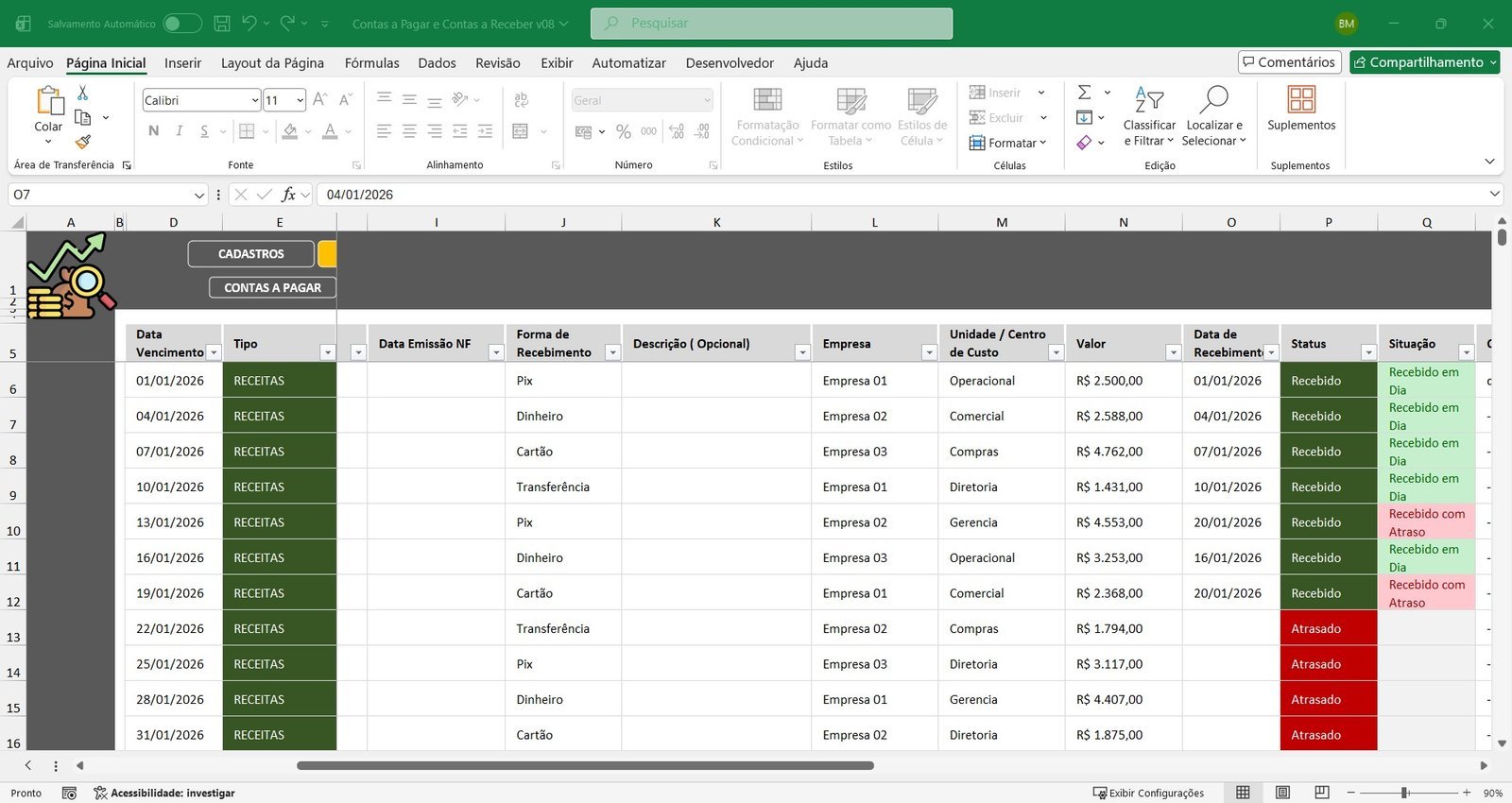
Accounts Receivable: the logic is the same, giving you full control over your revenue: receipt due date, account group (revenue), linked customer, invoice and issue date, payment method, company and cost center, amount and receipt date. The spreadsheet automatically identifies whether the amount was received on time, received late or is overdue (receivable).
Automatic Financial Reports
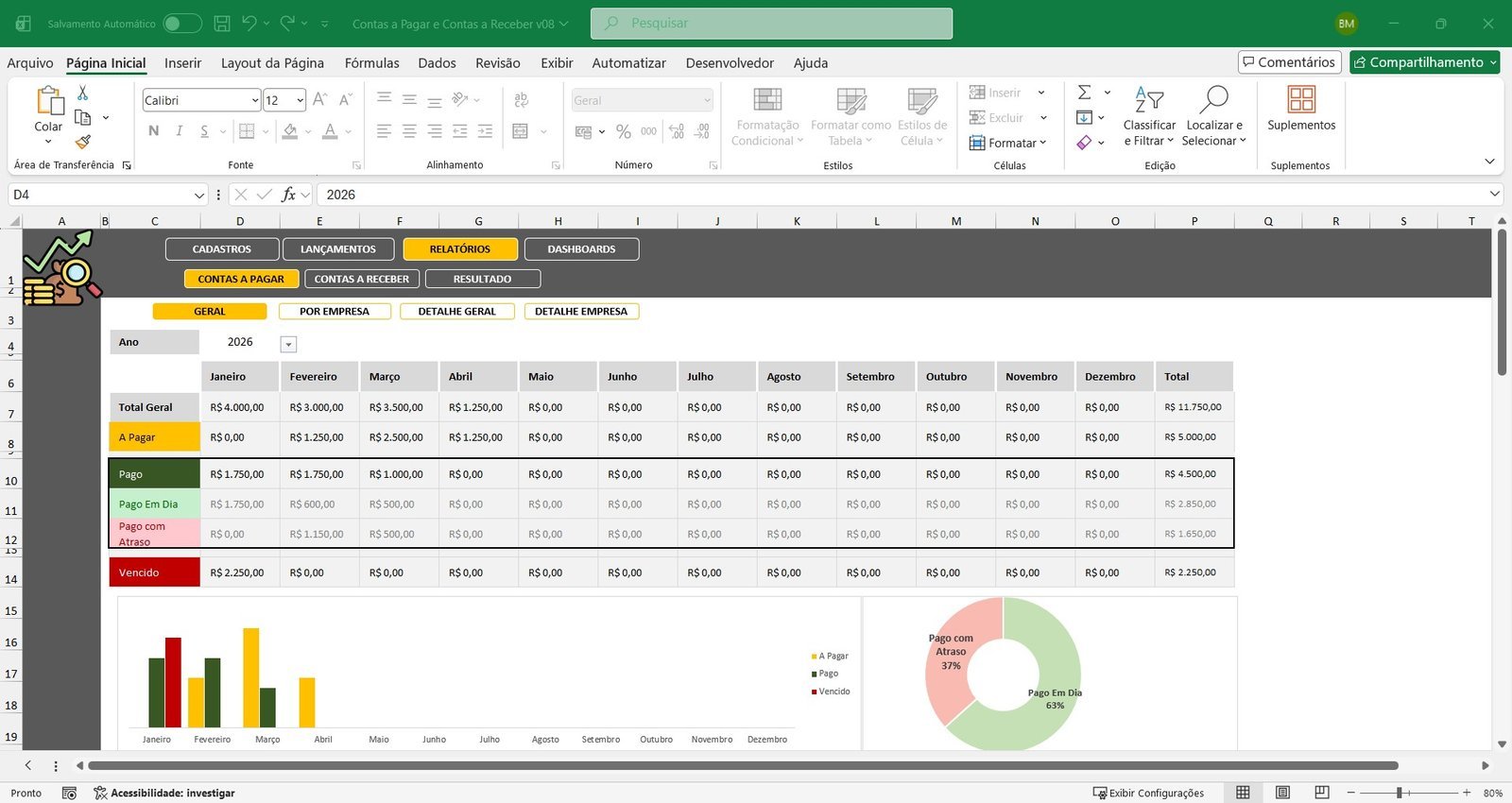
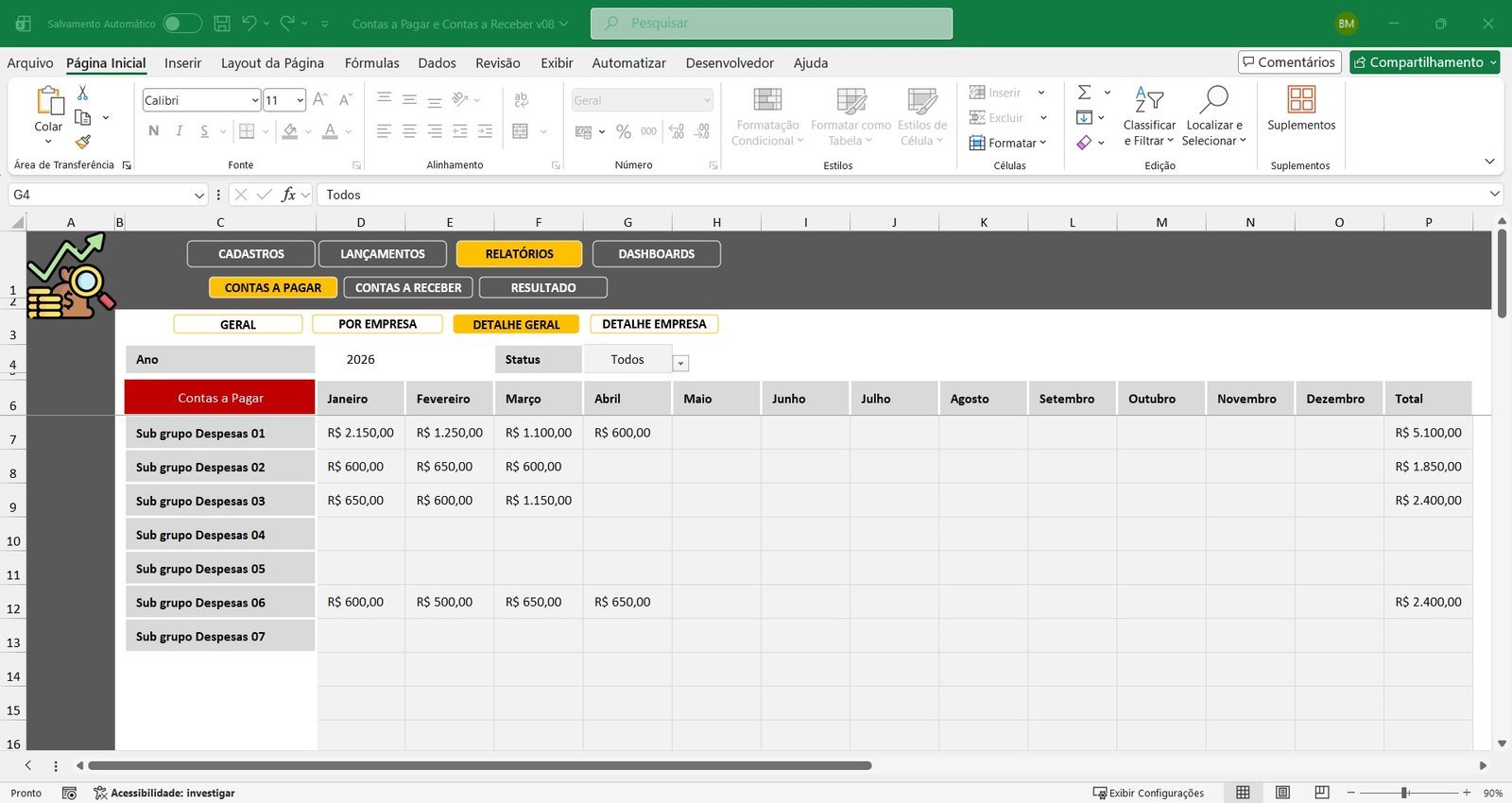
Accounts Payable Reports: total payable, total paid on time, total paid late, total overdue, and analyses by year, company, cost center and account group/subgroup. Includes evolution charts and the percentage of on-time and late payments.
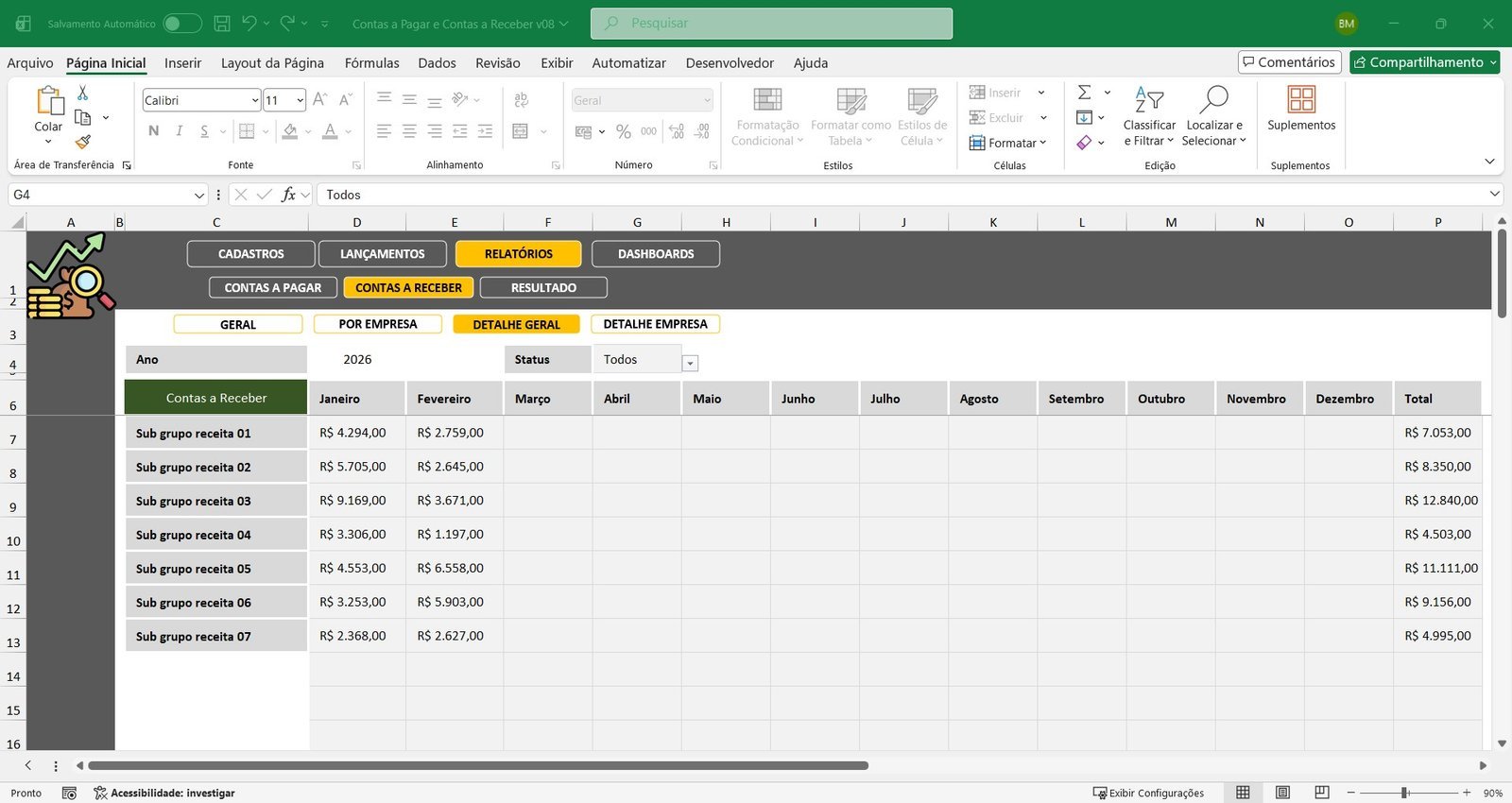
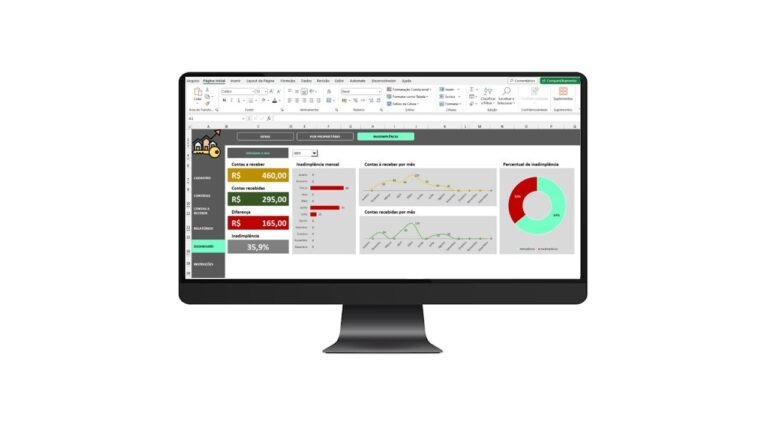
Accounts Receivable Reports: total receivable, total received on time, total received late and overdue amounts — all filterable by company and cost center, making it easier to follow your cash flow.
Results Report (Profit or Loss)
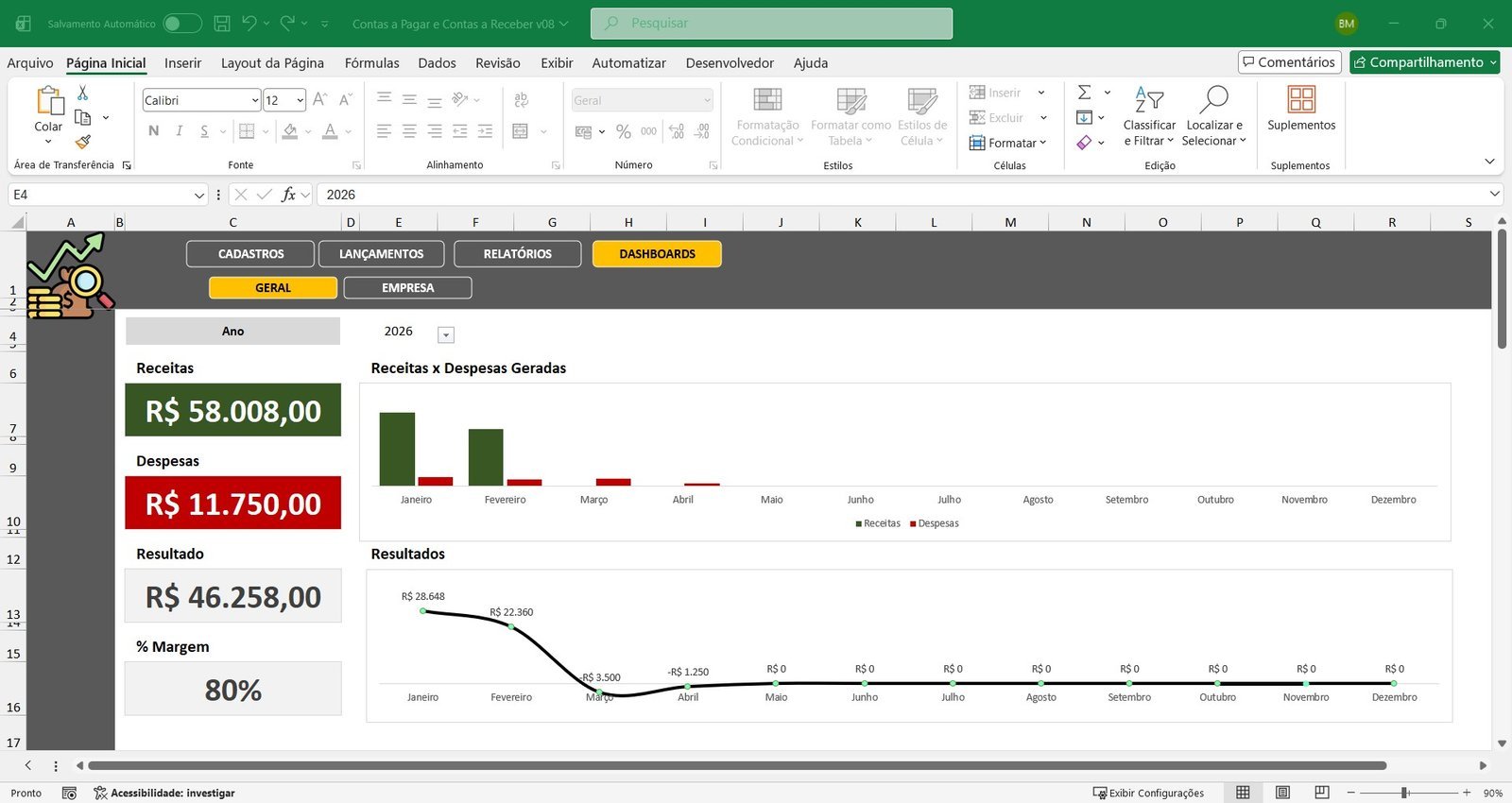
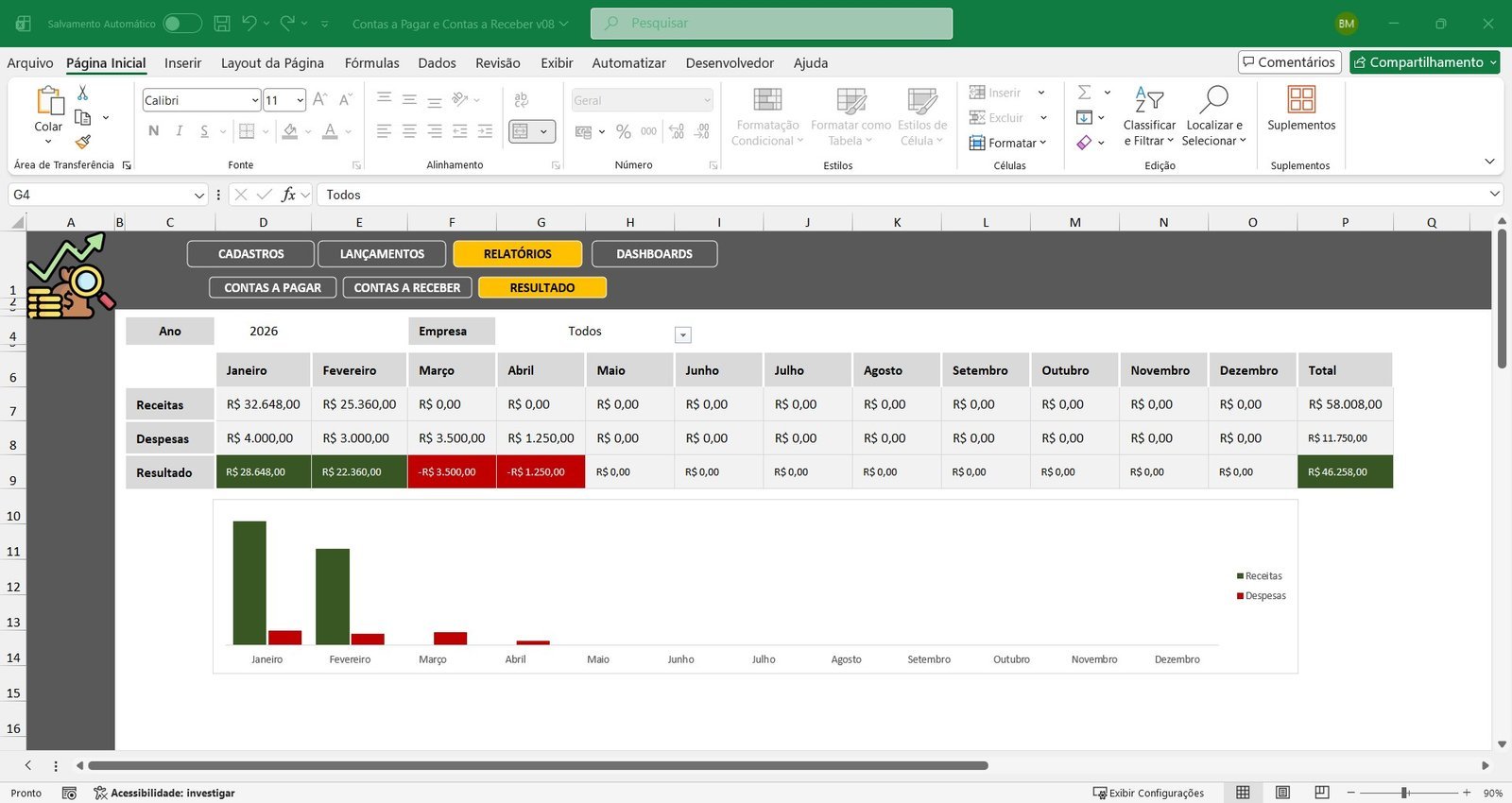
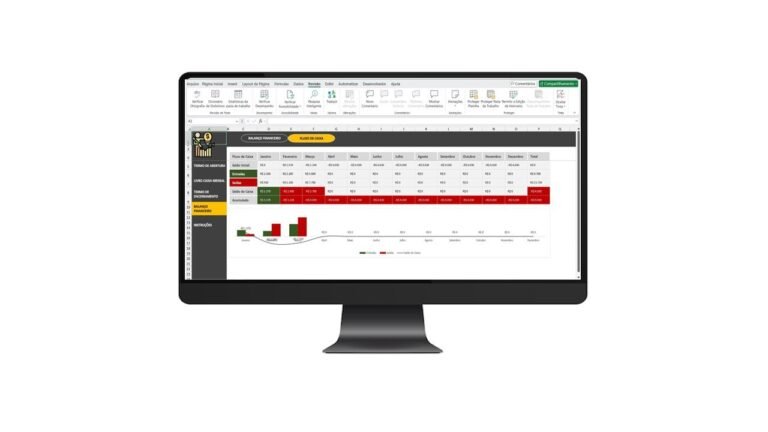
With the results report you can analyze total revenue, total expenses, the final result and the percentage margin. Ideal for anyone working with more than one company who needs to compare results clearly.
Interactive Financial Dashboards
The spreadsheet has visual, professional dashboards that are ideal for decision making.
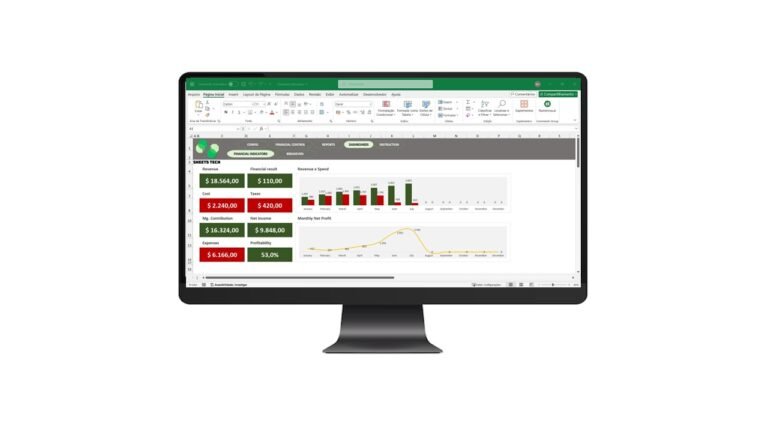
General Dashboard: total revenue, total expenses, result, percentage margin and the monthly evolution of revenue, expenses and results.
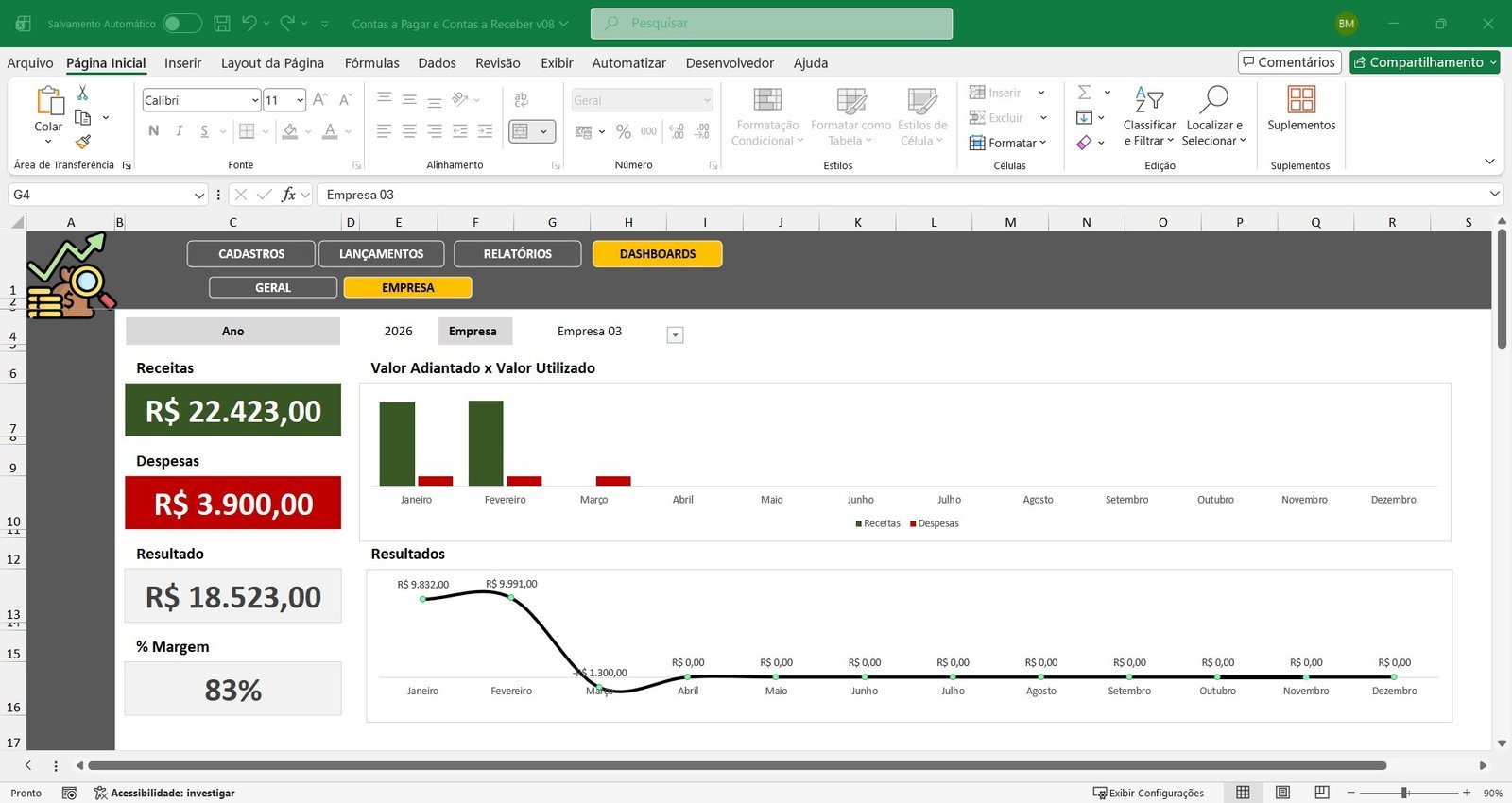
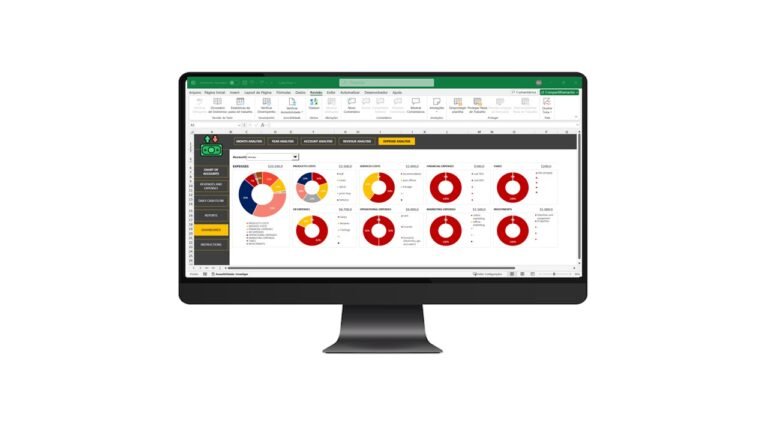
Dashboard by Company: individual analysis of each company, filters by year and clear indicators of financial performance.
How It Works
1. Register companies, cost centers, suppliers, customers and the chart of accounts — organize the base before entering transactions.
2. Enter accounts payable and receivable — fill in amounts, dates and links.
3. Follow the automatic status — see what is on time, late or overdue.
4. Analyze reports, results and dashboards — compare companies and make decisions with more confidence.
Frequently Asked Questions (FAQ)
Is the spreadsheet in Excel or Google Sheets?
It is a spreadsheet built in Excel.
Does the spreadsheet calculate automatically whether an account is overdue?
Yes. The status of each account payable or receivable is updated automatically, showing whether it is on time, late, payable/receivable or overdue.
Can I control more than one company in the same spreadsheet?
Yes. You can register up to 10 companies in the same file and compare the results between them.
Do I need to pay a monthly fee to use it?
No. It is a one-time payment, with no monthly fees or recurring charges.
Do I get support after purchase?
Yes. Support is provided on WhatsApp after you purchase the spreadsheet.
Get Full Control of Your Finances
Centralize accounts payable, accounts receivable and the results of up to 10 companies in a single spreadsheet, with reports and dashboards that make decision making easier.
Watch the Video About the Accounts Payable and Receivable Excel Spreadsheet