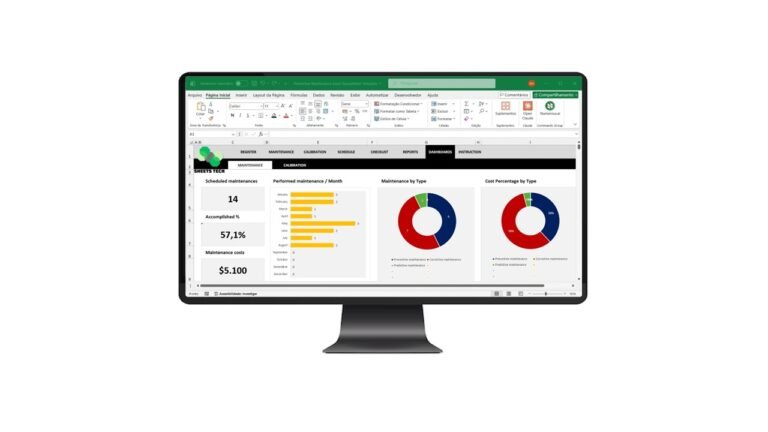
In today’s fast-paced business environment, managing inventory efficiently can make or break your operations. That’s where an Abc Curve Excel Spreadsheet Template comes in. This tool helps you categorize your inventory effectively, ensuring you focus on what’s most crucial—saving time and reducing costs.
Understanding the ABC Curve Method
The ABC Curve method is a powerful inventory categorization technique. It divides inventory into three categories:
- A Items: High-value products with low frequency of sales.
- B Items: Moderate value and frequency.
- C Items: Low-value products with high frequency.
By using an Abc Curve Excel Spreadsheet Template, businesses can prioritize their stock management efforts, ensuring that high-value, low-availability items receive the attention they deserve.
Why Use an Abc Curve Excel Template?
Enhanced Inventory Accuracy
Maintaining accurate inventory records is vital. The template helps ensure your data is up-to-date and reliable.
Cost Reduction
By focusing on high-value items, you can reduce unnecessary purchases, cutting costs significantly.
Improved Resource Allocation
The template aids in optimizing storage and handling resources, leading to better efficiency.
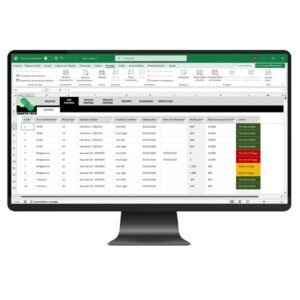
The Solution: SheetsTech’s Abc Curve Excel Spreadsheet Template
If you’re looking for a practical solution, SheetsTech’s ABC Curve Excel Spreadsheet Template is your best bet. Here’s why:
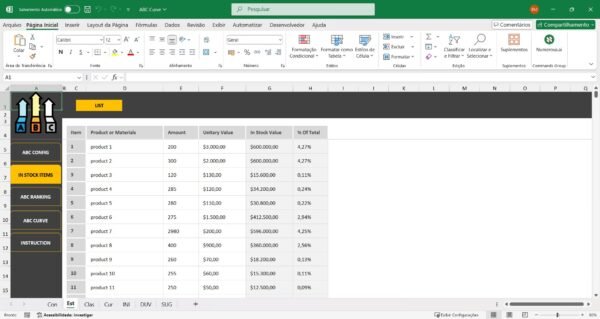
- User-Friendly Interface: Easy to navigate, even for beginners.
- Automation Features: Reduces manual entry errors.
- Comprehensive Analysis: Offers insights into inventory trends.
You can download the spreadsheet and transform your inventory management today.
How It Works
Step-by-Step Guide
- Input Your Inventory Data: Start by entering your inventory details into the template.
- Categorization: The spreadsheet automatically sorts items into A, B, and C categories.
- Analysis and Review: Review the categorized data to make informed decisions.
Benefits of Using SheetsTech’s Template
- Saves Time: Automation speeds up data processing.
- Reduces Errors: Standardized categorization minimizes mistakes.
- Boosts Efficiency: Focuses your attention on the most critical inventory items.
FAQs About the ABC Curve Template
What is the ABC Curve Method?
The ABC Curve method categorizes inventory based on value and sales frequency, helping businesses prioritize resources.
Is the SheetsTech template customizable?
Yes, the SheetsTech ABC Curve Excel Spreadsheet Template is fully customizable to fit your specific needs.
How can I access the template?
Visit SheetsTech’s website to view and download the template.
Conclusion
An Abc Curve Excel Spreadsheet Template is more than just a tool—it’s a strategic asset. By optimizing inventory management, you can drive significant improvements in efficiency and profitability. Ready to take control? View the template today and see the difference it can make.
See Also
Boost your results with these other tools:
- Task Control Excel Spreadsheet Template
- Cash Flow Statement Excel
- Financial Indicators Excel Spreadsheet Template