Understanding how to manage inventory efficiently is crucial for any business aiming to reduce costs and improve supply chain performance. The ABC Curve Excel Spreadsheet Template offers a simple yet powerful solution to categorize inventory based on value, ensuring that you focus on what truly matters.
Why Use an ABC Curve Excel Template?
The ABC analysis is a popular method used in inventory management to classify items into three categories: A, B, and C. This classification helps businesses prioritize their resources and manage their inventory more effectively. But why should you choose an ABC Curve Excel Spreadsheet Template for this task?
Key Benefits of ABC Analysis
- Prioritization: Concentrate on high-value items that significantly impact your bottom line.
- Resource Allocation: Efficiently allocate resources to optimize inventory turnover.
- Cost Reduction: Minimize carrying costs by focusing on essential items.
To fully harness these benefits, an Excel template can automate calculations, saving you time and reducing the risk of human error.
Common Challenges in Inventory Management
While inventory management is essential, it also comes with its own set of challenges:
- Data Overload: Managing large volumes of inventory data can be overwhelming without the right tools.
- Inaccurate Forecasting: Poor inventory classification can lead to stockouts or overstocking.
- Resource Misallocation: Without proper categorization, resources may be wasted on low-priority items.
Practical Solutions with Excel Templates
An ABC Curve Excel Spreadsheet Template can address these issues by:
- Automating Calculations: Quickly calculate and categorize inventory based on value.
- Improving Accuracy: Reduce errors associated with manual data entry.
- Visualizing Data: Use charts to present inventory data clearly, aiding decision-making.
The Ultimate Tool: SheetsTech ABC Curve Template
Looking for a tool that simplifies your inventory management? The SheetsTech ABC Curve Excel Spreadsheet Template is designed to make inventory analysis straightforward and efficient.
- Download the spreadsheet to access a ready-made template.
- Discover a complete tool that automates ABC classification.
- View template features that enhance data visualization.
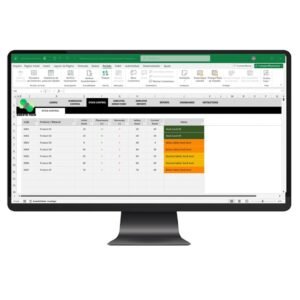
This template is perfect for businesses of all sizes looking to streamline their inventory processes.
Benefits of Using SheetsTech ABC Curve Template
- User-Friendly Interface: Easy to navigate, even for those with minimal Excel experience.
- Customizable Fields: Adapt the template to suit your specific business needs.
- Time-Saving Features: Spend less time on manual calculations and more on strategic planning.
FAQ: Common Questions Answered
How does the ABC analysis work?
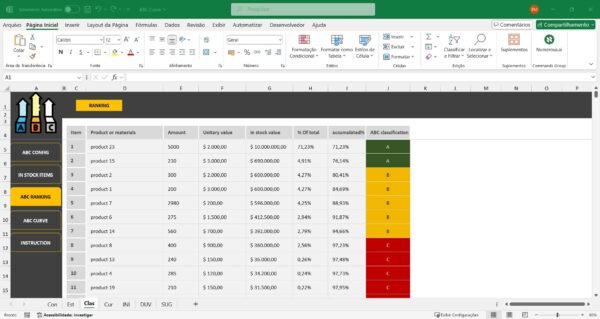
ABC analysis categorizes inventory into three classes (A, B, C) based on value and sales frequency, allowing businesses to focus on the most impactful items.
Can the template be customized?
Yes, the SheetsTech ABC Curve Excel Spreadsheet Template is fully customizable to meet specific business requirements.
Is the template suitable for small businesses?
Absolutely! It’s designed to be scalable and user-friendly, making it ideal for both small and large enterprises.
Conclusion: Take Control of Your Inventory Today
Efficient inventory management is within your reach with the right tools. Start optimizing your resources and enhancing your business operations by utilizing the SheetsTech ABC Curve Excel Spreadsheet Template. Don’t let poor inventory management hold you back—take action today!